Need advice? Let's talk.
Get straightforward guidance from your broadcasting partner. Schedule a call to chat with the team about your radio station.
Book DemoInternet Radio Software for Windows & Mac
Broadcast to your online station using one of these best pieces of internet radio software for either Windows and Mac computers.


If you are looking for internet radio software for Windows and Mac, there are plenty of options out there. They each vary in complexity and are catered for different needs. With the different options available, it’s easy to get lost trying to find the right one for you. That’s why we’ve rounded up this list of the best solutions for every broadcasting need.
We’ll start off with the best all-rounder software, perfect for all your radio automation and broadcasting live needs. And it's available on both Windows and Mac. After this, we've dug into some Windows only and Mac only options.
Internet Radio Software For Both Windows & Mac
Radio.co
Pros: True all-in-one-solution, so no extra software required. Runs in the cloud, so no downloads needed. Works on Mac & Windows. Cons: No Disc Player view for DJs
If simplicity is what you’re after, Radio.co is a great option for both Windows and Mac users. Radio.co is an all-in-one solution with both powerful automation features and live broadcasting tools. Other radio hosting platforms require you to download extra software just to do everyday radio tasks like broadcast live. That’s because they don’t have all the features broadcasters actually need for their internet radio station. The difference with Radio.co is you don't need to use any extra software if you don't want to. But if there’s a program you like, you can use it with Radio.co, easily. It's got the best of both worlds.
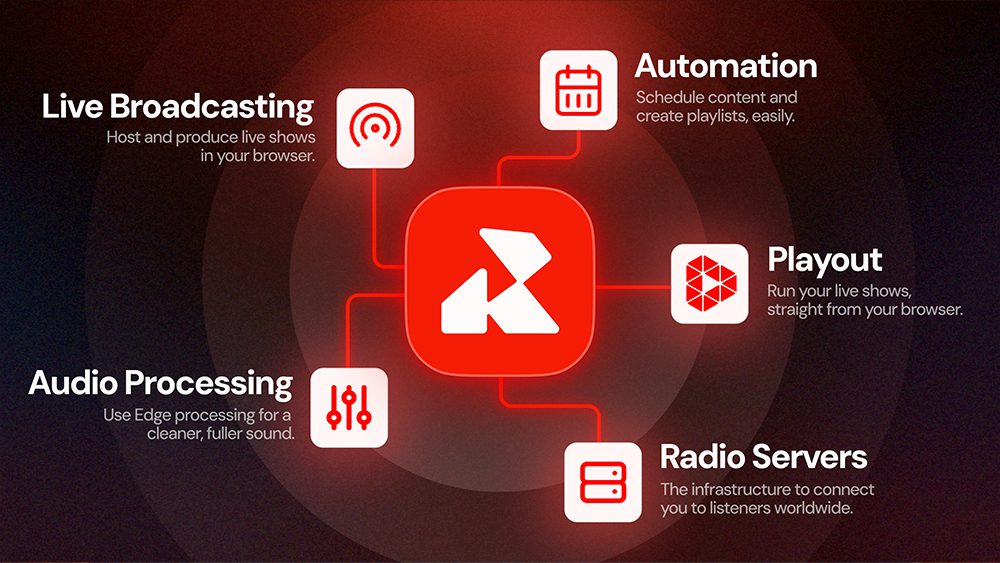
Here's a quick look at some of Radio.co's features, starting with broadcasting live.
Radio.co's Live Broadcasting Features
Live: Ideal for DJs who want to broadcast a live mix or when your host is ready to jump on the mic. Broadcast live on your internet radio station in a matter of minutes. In a few clicks, you can choose your audio source (a microphone, audio interface, mixer or your computer's audio) and go live on your station.
Playout: Create slick live shows with all the bells and whistles. Fire off jingles from customisable the cart-wall, set song transitions with the segue editor, and automatically duck the music when talking. All live on air and from your internet browser.

Alongside these ways you can broadcast live, Radio.co packages in powerful automation features. These can ensure listeners can’t tell the difference between when you’re live or not - if you don’t want them to!
Radio.co's Automation Features
Auto-DJ: Keep your radio station broadcasting 24/7, even if you're not live. Auto-DJ pushes out your scheduled content when you’re not live or a back-up playlist if nothing is scheduled.
Stream Relay: Play another audio stream on your radio station, ideal for multiple stations under one brand or syndicated shows.
Scheduler: Assign event type (playlist, DJ, or stream relay), the time-slot and frequency. Rescheduling is as easy as drag and drop.
Playlists & Tags: Manually create fixed playlists, or use tags to create dynamic, self-populating playlists with play limits on certain songs or artists within a given timeframe.
Voice Tracking: Record all the links between your songs and segments to create the impression of a live show in a fraction of the time.
Voice Studio: Record and mix your own jingles, sonic branding, voice segments and more with your own voice and optional AI voice generation.
Radio.co runs in the cloud, meaning you and your radio station team can do everything you need - all from your internet browser. This is particularly useful when you have DJs and hosts broadcasting remotely and with a mix of Windows and Mac computers.
If you're after something else, let’s take a look at some other Windows and Mac broadcasting software.
Just note, in order to broadcast online with the following internet radio software you'll still need Radio.co. While you can use Radio.co on it's own for all your broadcasting needs, it also works seamlessly with all the software mentioned below. If you’re not apart of the Radio.co family yet then you can join today with your 14-day free trial.
Windows Internet Radio Software
SAM Broadcaster Pro
Pros: Radio-focused interface. Advanced features like FX Voice. Cons: Doesn’t include a radio server. Expensive. Can’t broadcast system audio.
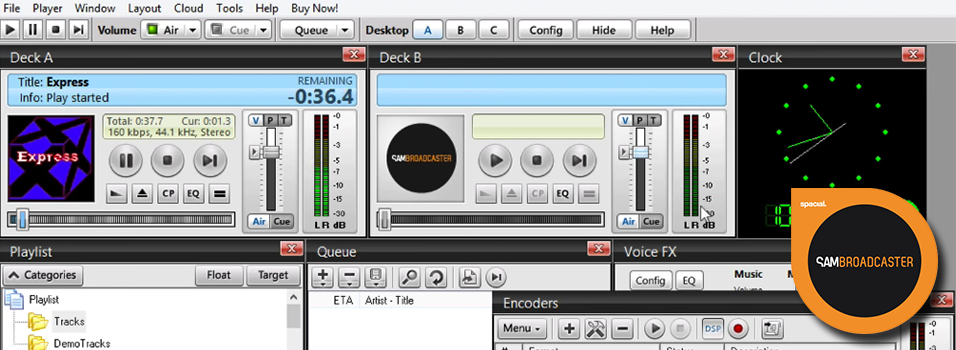
SAM Broadcaster Pro is one of the most well known and advanced pieces of broadcasting software. It has media management, mixers, relays, statistics, and a bunch more useful features.
Power and control are at the forefront of SAM Broadcaster. Right from the get go you have access to multiple mixing decks, so you can control your and synchronise your audio. Mix your shows together with faders, EQ sliders, and improve your vocals with an FX voice feature to alter how you sound.
SAM Broadcaster carries a commercial license, which means you have to pay (around $299) to unlock the full version, however you can get the free trial to see if it’s right for you.
RadioDJ
Pros: Free. Easy-to-use interface. Cons: Tricky to set up.
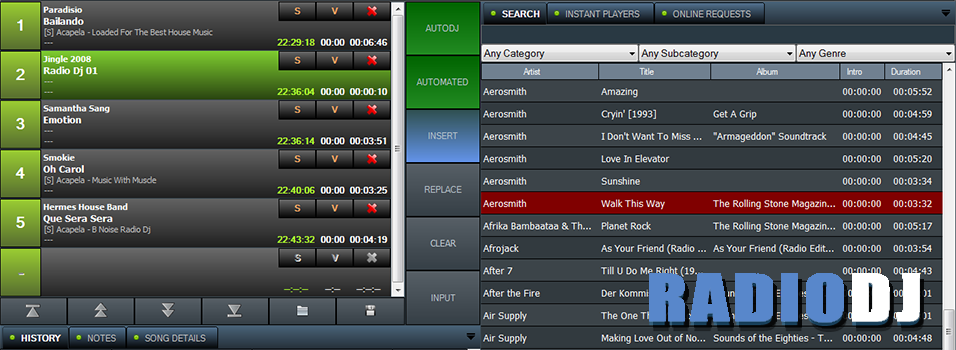
RadioDJ is free automation software exclusively for Windows. It comes with essential features for broadcasters like automated playlist generation so your tracks are sorted based on playback. Track information can be updated with an ID3 tag editor to manage titles, artists, and album names so they’re organised. RadioDJ also comes with AltaCast, which connects to your Radio.co station and out online.
Some of the best stand out features include sound processing and a cue points editor. Both can be used to edit the levels of your tracks and trim them down, for example you can fade in and out tracks for smoother transitions.
RadioDJ can be a bit tricky for to setup. It requires a database to manage media and an encoder to broadcast live, however we’ve put together an easy step by step guide on how to get started below.
1. Mixxx
Pros: Free. Good for DJ live sets. Familiar interface for DJs Cons: Open-source means no guaranteed maintenance.
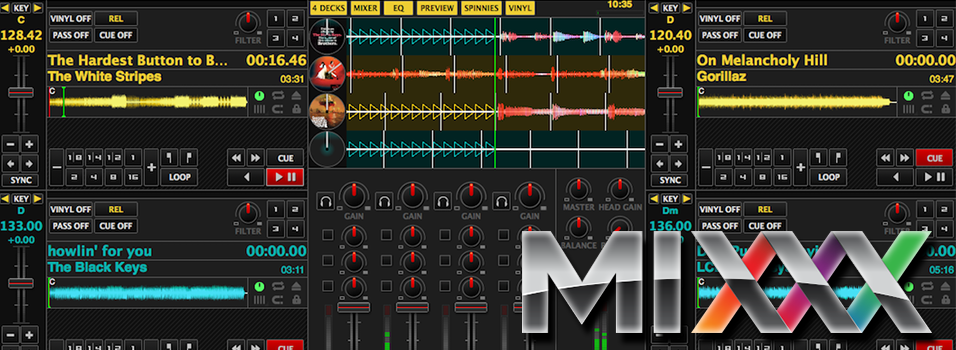
Mixxx is an advanced open-source DJ-ing software. It’s free to use and works with Windows, Mac, Linux, and Ubuntu systems.
It’s ideal if you handle lots of tracks and shows as it comes with an advanced library management system. Update track information like titles, artists, and albums using a built-in ID3 tag editor. When broadcasting from Mixxx your track’s details get shown to listeners via the player for example, so it comes in handy so people know what you’re playing.
Just like the name suggests, Mixxx is great for mixing as you can beat sync with up to 4 decks, input multiple microphones for guests, and easily map external mixing decks with MIDI controllers. If you do a lot of live shows that you want to repeat then you can record them with Mixxx and add them to your library.
Mac Internet Radio Software
3. LadioCast
Pros: Free. Easy to use. Cons: Not an intuitive interface for broadcasters. No live-assist tools like a Cart Wall or Segue Editor.

LadioCast is an app designed exclusively for Mac. It’s free to use, simple to setup, and comes with the basics you need to get your shows live. Equipped with 4 inputs and 4 outputs, you get greater flexibility to connect and manage multiple devices, so you can manage microphones, mixers, CD players, and DJ decks.
The best thing about LadioCast is that it works seamlessly with Radio.co, which means you can get broadcasting without any headaches.
2. Nicecast
Pros: Free. Simple to use. Can broadcast system audio. Cons: Limited controls. No live-assist tools like a Cart Wall or Segue Editor.
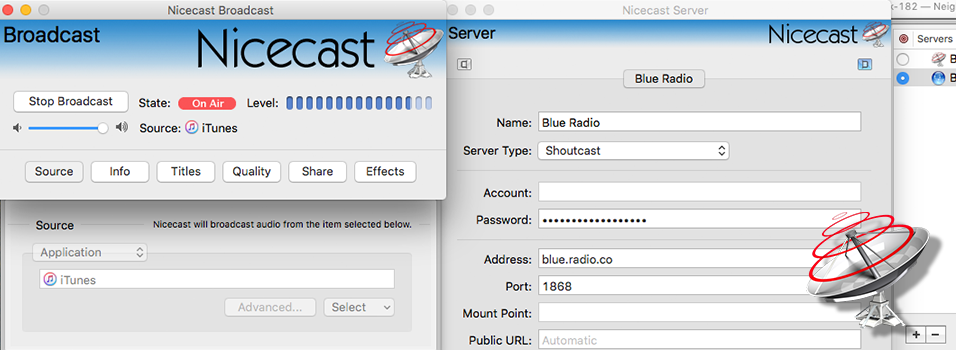
Nicecast is an easy to use live broadcasting software that works quite well with Mac systems. For example it can hijack audio, which means you can use it with most media players like iTunes to play music and programs like Skype to do live talks with guests.
In order to use Nicecast you need a license to use it, however you can try it now as the first 60 minutes are free to give you a taste test.
1. BUTT
Pros: Reliable. Inexpensive. Cons: Requires other software to manage a station. Limited controls. Not an intuitive interface for radio-folk.
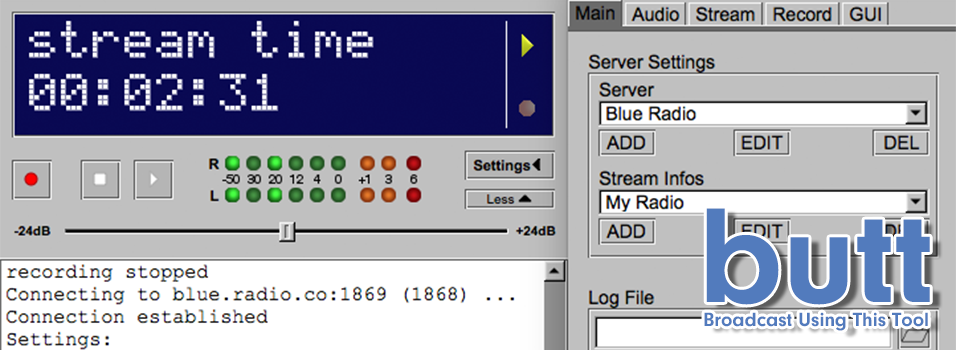
BUTT, which stands for “Broadcast Using This Tool, is great for 2 reasons. 1: It’s one of the most simplest software to setup and use. 2: It’s a multi-operating system broadcaster, meaning it works with Windows, Mac, and Linux systems, plus it’s donationware. So you can pay what you think it’s worth.
BUTT works as a middleman, for example you can connect a microphone for your talk shows or use a media player like Winamp to play your music. Audio is encoded and pushed out to your station online. It’s a good tool for beginners and experienced broadcasters that aren’t hosted with Radio.co, so need an additional bit of software to broadcast live.
How to Broadcast All Audio from Windows or Mac
The simplest way to broadcast all audio from either a Windows or Mac machine is to use Radio.co's Live feature. Our Live feature is a browser-based audio encoder, that let's Radio.co customers go live in just a few clicks.
Open up your Radio.co dashboard
Ready to go live? Click the 'Connect' button.
Sign in using your Radio.co account credentials.

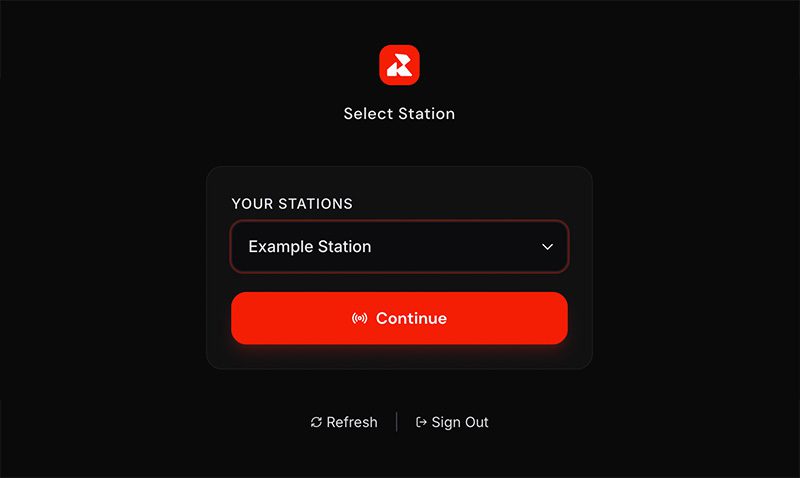
Select your station (If you manage multiple stations, use the dropdown menu to select the correct one) then click "Continue."
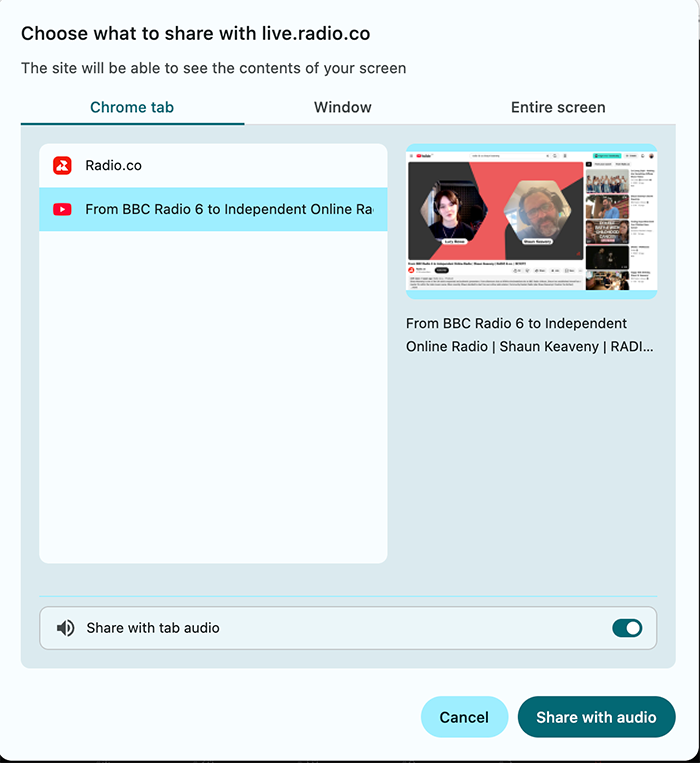
- Select System Audio and click Go Live and in the new window, choose the tab, window or entire screen you want to broadcast.
- At the bottom of the Window, toggle on the setting Share with system audio.
Then click Share with audio to broadcast this live.
More Internet Radio Software You Should Know
Internet radio software is such a crucial part of your station that it’s worth researching and taking the time to get to know what’s available. We think Radio.co is the best solution for many broadcasters, but you know your set-up best. So it’s worth exploring what’s right for you.
Whether you’re after something simple like Radio.co’s Live feature, where you’re just a few clicks away from broadcasting, or something more complex like Mixxx, that’s got EQ, mixers, and multiple inputs, then there’s loads more available.
Whatever internet radio software you choose it’s essential you have a reliable radio platform to broadcast your shows too.
Radio.co is an all-in-one platform that works with all the software mentioned. You can send out your shows live to your station or automate them into playlists, this way it takes over when you’re not around. Everything is in the cloud and online, meaning you can turn your computer off and let Radio.co do all the hard work. Your listeners will always be able to tune into your shows without having to worry about downtime.
Try it for yourself today - Get started by clicking the button below to begin your 14-day free trial. Alternatively talk to us today by booking a demo or send some questions over to our us here.


