Need advice? Let's talk.
Get straightforward guidance from your broadcasting partner. Schedule a call to chat with the team about your radio station.
Book DemoElements of a Radio Station: Everything You Need to Build Your Own Station From Scratch
Understand the key components of a radio station, from content scheduling to audio processing. Learn how they work together to help you build your own.


The Radio Station Ecosystem
What Makes Up a Radio Station?
When you imagine a radio station today, you might think of a sound-proofed room with microphones, desks, and lots of complex-looking equipment. While those stations still exist, the reality is a lot simpler.
Platforms like Radio.co have helped make launching your own radio station more accessible. With just a laptop and an internet connection, you can stream music and talk shows to listeners across the world.
To make this possible, several components work together to transform your content into a professional-grade broadcast.
Key Takeaways
- Content and scheduling form the foundation: Your music library, jingles, and tags determine what makes your station unique, while scheduling decides what plays and when - including even when you’re not around.
- Playout and live broadcasting bring it to life: Playout software delivers your scheduled content automatically, while tools like Radio.co Live and Playout.co let you take over the mic and broadcast live from your browser.
- Processing and streaming add polish: Audio processing (like our EDGE™ Audio Processor) gives your station a professional sound, while streaming and your web player deliver that broadcast to listeners on any device.
- Identity and analytics complete the picture: A strong name, logo, and website help listeners recognise and return to your station, while analytics show you what’s actually working so you can keep improving.
Here are the bones of the process:
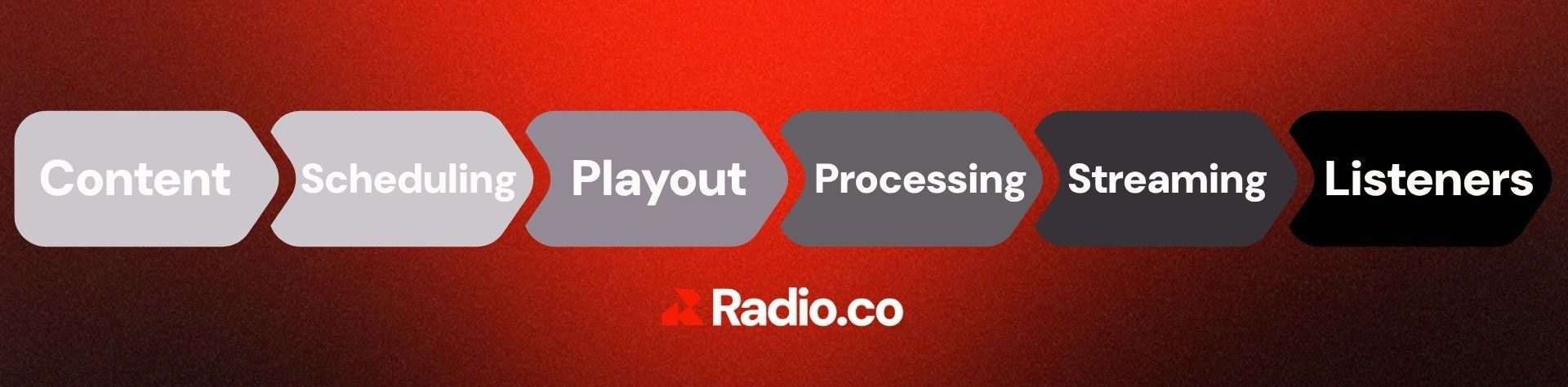
Here is the process broken down:
Content:
This is what makes your station uniquely yours. Your music, individual shows, jingles, adverts, and other audio segments.
Scheduling:
This is where you plan and set up your show, deciding what is going to play and when.
Playout:
This gets your broadcast on the air.
Processing:
This polishes and shapes your station’s sound, helping to accentuate its unique style and tone.
Streaming:
This delivers your broadcast across the internet.
Listeners:
Your audience can tune in through your website, app, smart speaker, or other platform where your show is hosted.
This guide will break down each individual component that is part of the wider radio station ecosystem. We’ll explain what it does, why it’s important, and how it fits into your station.
Playout System: Where Your Broadcast Comes Together
What is Radio Playout?
Radio playout software is the playback of audio content during broadcasts, from songs and jingles to advertisements. It manages your station’s broadcast content, usually playing audio according to a predetermined schedule.
Some of its core functions include:
- Audio file playback
- Voice tracking
- Scheduling for immediate playout
- Basic audio mixing
- Transitions between tracks
- Playlist management
Think of it as the final step in the radio broadcasting process. Everything you have recorded, edited, and compiled into a playlist or schedule is delivered to your audience via your station’s playout software.
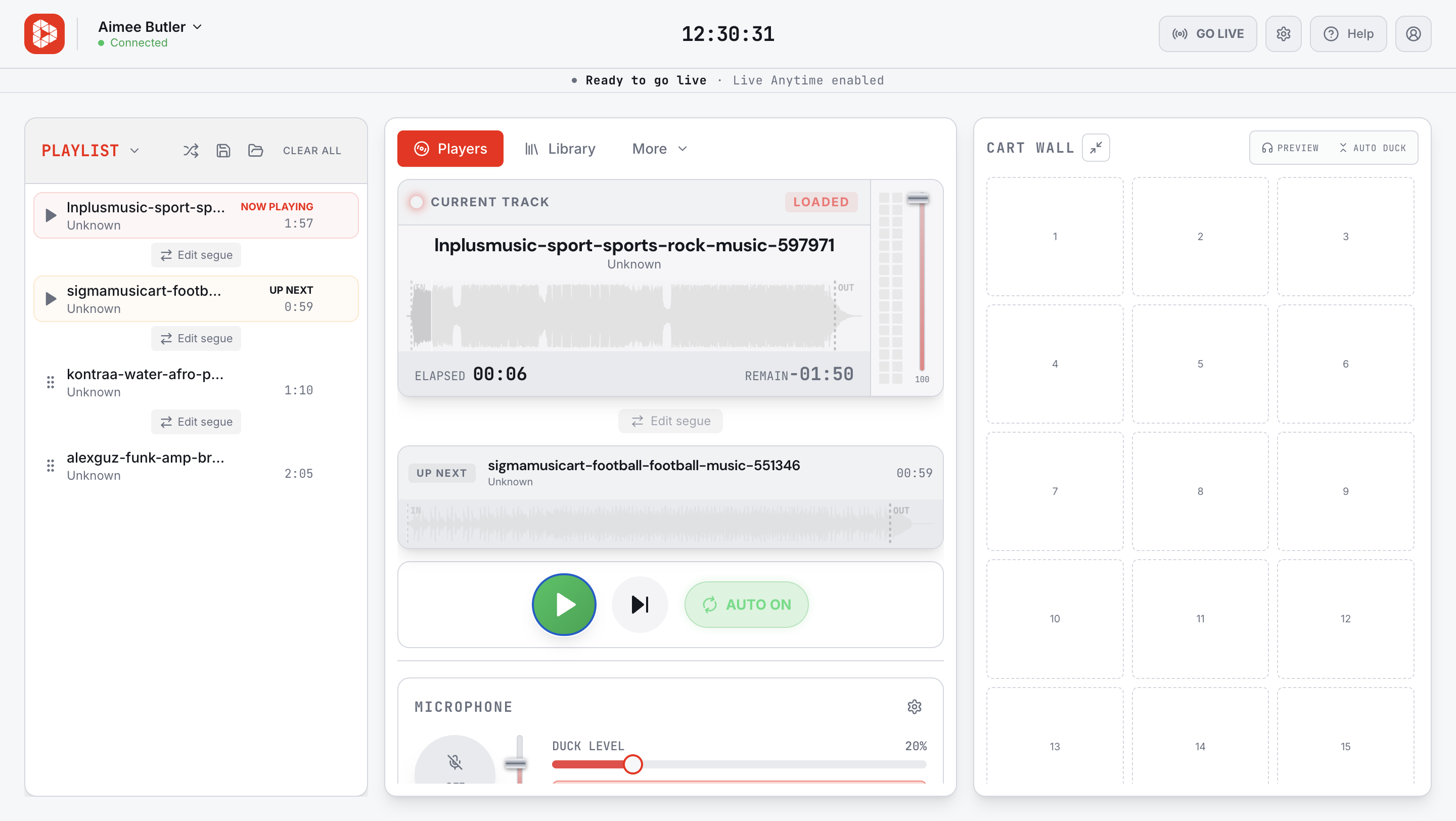
Radio.co's latest feature, Playout.co, puts everything you need to broadcast live radio in your browser. With audio play-out, a cart wall, segue editor, and mic fader, you can play music, fire off jingles and sound effects, talk live on air, and stream your live show - all from one screen. Our automatic talk-over feature even lowers the music while you speak on air.
Playout.co is available to all users on a Standard plan or above. Upgrade from Lite here to gain instant access to Playout.co and start streaming live from your browser.
Scheduling: Deciding What Plays and When
Scheduling is deciding what content gets played and when. You can select and arrange your live shows, pre-recorded shows, and playlists into a calendar timeline for 24/7 broadcast.
Scheduling allows broadcasters to line up their content to be played seamlessly, even while you’re not manning the station. It ensures you play something family-friendly at breakfast and no swearing before the watershed.
Preparing your radio’s programming in advance is a great way to ensure your listeners never experience dead air. It also allows you to control your station’s editorial choices and programme style while automating their execution.
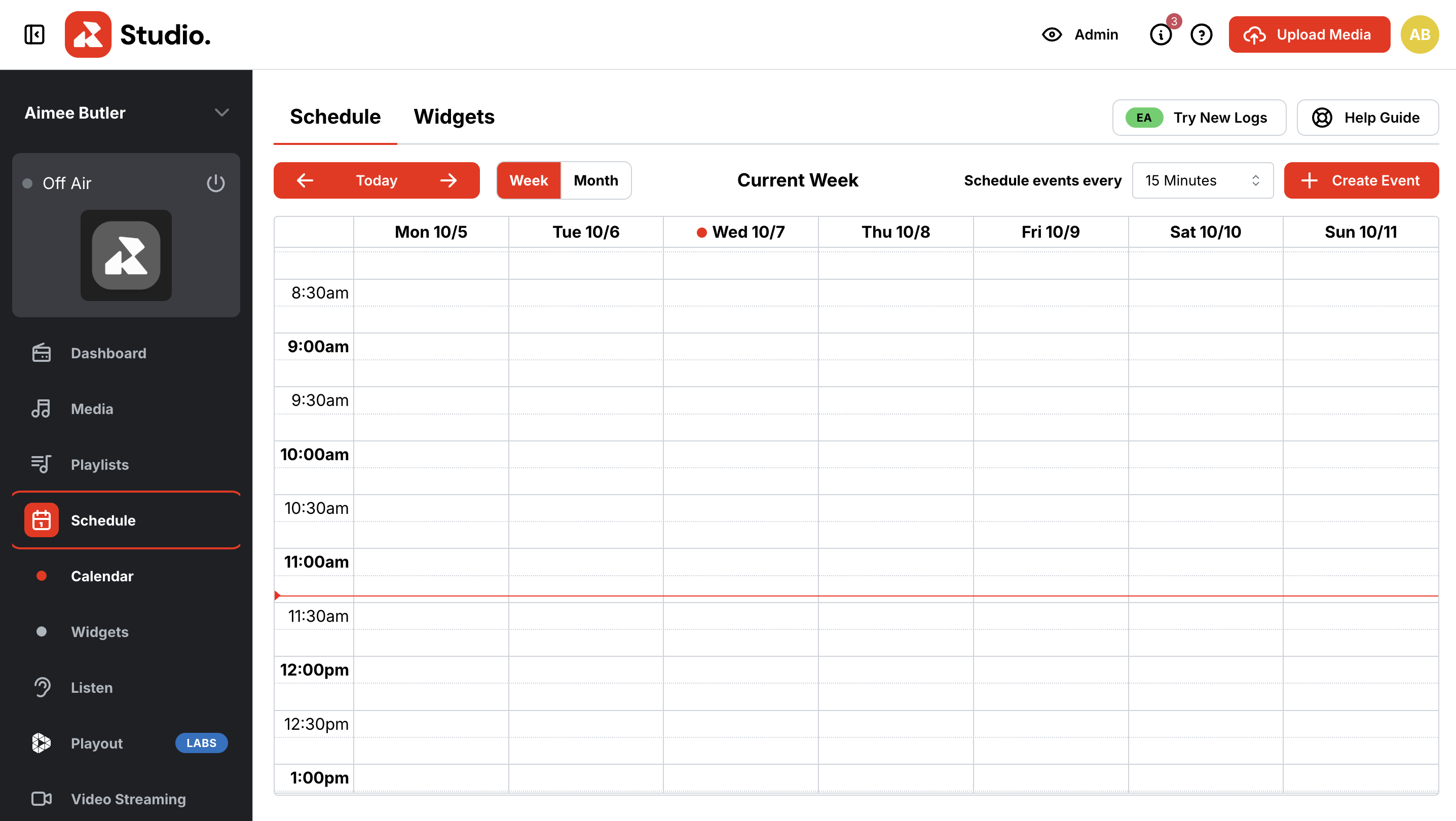
The drag-and-drop schedule feature on Radio.co allows you to manage your station’s calendar easily and efficiently by dragging and dropping programmes and rescheduling time slots. You can view your station’s weekly schedule in different time segments from the Schedule tab, move existing shows, DJ sets, and playlists to different time slots with drag-and-drop, as well as build structured, automated weekly lineups.
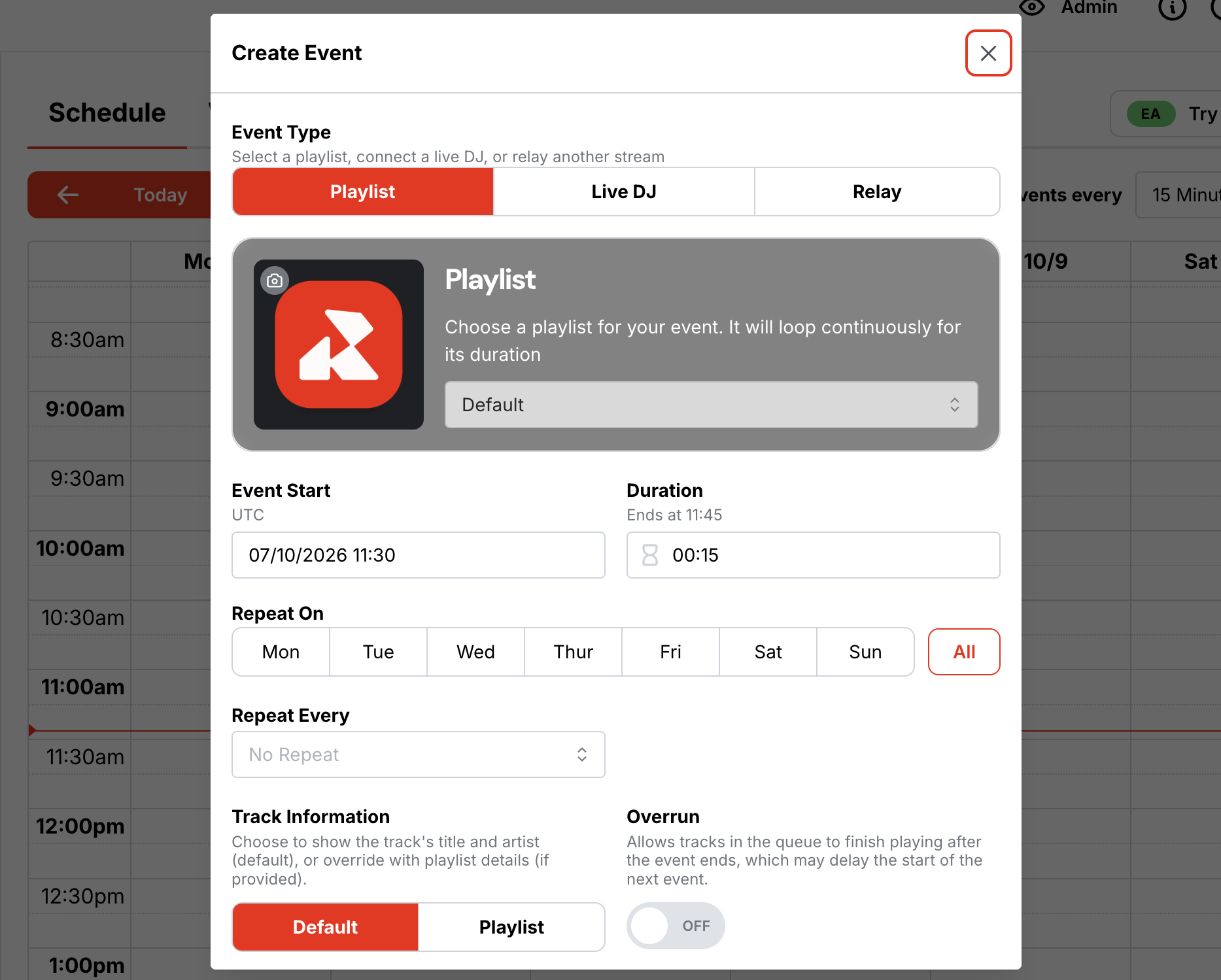
Live Broadcasting: Getting Behind the Mic
When you start live broadcasting, your radio station transforms from a platform playing pre-recorded shows, to a direct, real-time link to your audience.
Once you have some of the essential broadcasting equipment, such as a microphone and laptop, and have set up your station with Radio.co, you can start broadcasting your show.
During the show, you, the broadcaster, will be making all of the decisions about what to play, when it plays, and what to say in between. When you’re not broadcasting live, this is where your automated scheduling comes in handy.
Our built-in tool, Radio.co Live, allows you to take over and manage your stream directly from your web browser. It’s free, available on all Radio.co Standard plans and above, and requires no additional software. Simply connect your station, select your audio source, and start streaming live.
Radio.co's Playout.co feature also works like a live production desk in your browser. You can broadcast live while firing off jingles, creating and reordering your playlist, and editing segues as you go - all from one screen.
That's not one, but two ways of going live with Radio.co - no extra software or programme configuration needed!
Audio Processing: Making Your Station Sound Good
Audio processing helps give your station the sleek, high-quality sound often associated with major FM or commercial radio stations.
What audio processing includes:
- Automatic Gain Control (AGC): Adjusts audio level automatically, keeping sound consistent.
- Multiband Compression: Splits audio into various frequency bands.
- Limiting: Stops audio from peaking or distorting, so it can sound powerful without affecting the quality.
- Equalising: Helps to shape a station’s unique sound and broadcast tone.
- Sound Enhancement: Gives stations the kind of professional radio sound that “fills a room”.
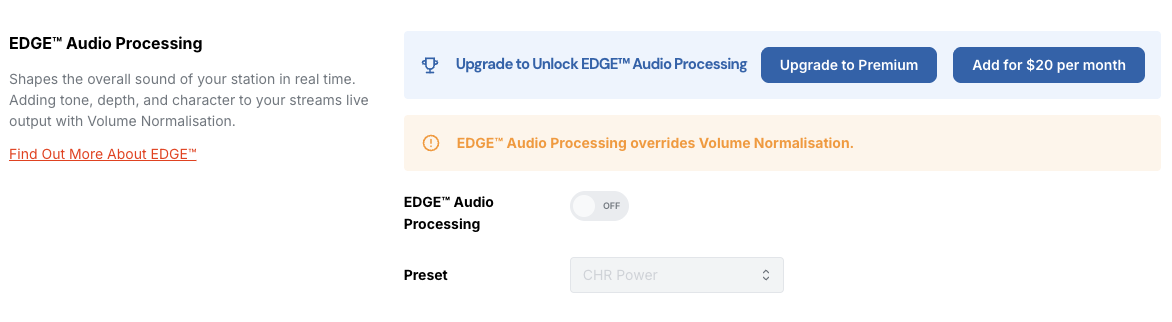
It used to be a pretty exclusive tool, requiring clunky and expensive equipment that most start-up or independent radio stations couldn’t obtain. Today, Radio.co has played a part in making high-quality audio more accessible. Our EDGE™ Audio Processor is an easy-to-use tool for internet radio station hosts and broadcasters, giving you rich, professional sound at the click of a button. Genuinely.
Streaming: Getting Your Station Out to Listeners
A radio stream is the connection between your station and your listeners, delivering your live or automated broadcast to them in real time.
Unlike a download, streaming lets listeners hear your broadcast as it happens, without needing to save a file to their device. They can simply tune in and listen on any device, wherever they are.
What Do You Need to Stream a Radio Station?
To stream online, you simply need a streaming service that receives your station’s audio and distributes it to listeners. You also need enough bandwidth to handle the number of people that may tune in.
Radio.co offers your station’s listeners multiple ways to tune in, depending on their preferences:
- Webplayers to embed on your own station website
- Custom iOS and Android apps for optimised mobile listening
- Alexa Skills options for smart speakers
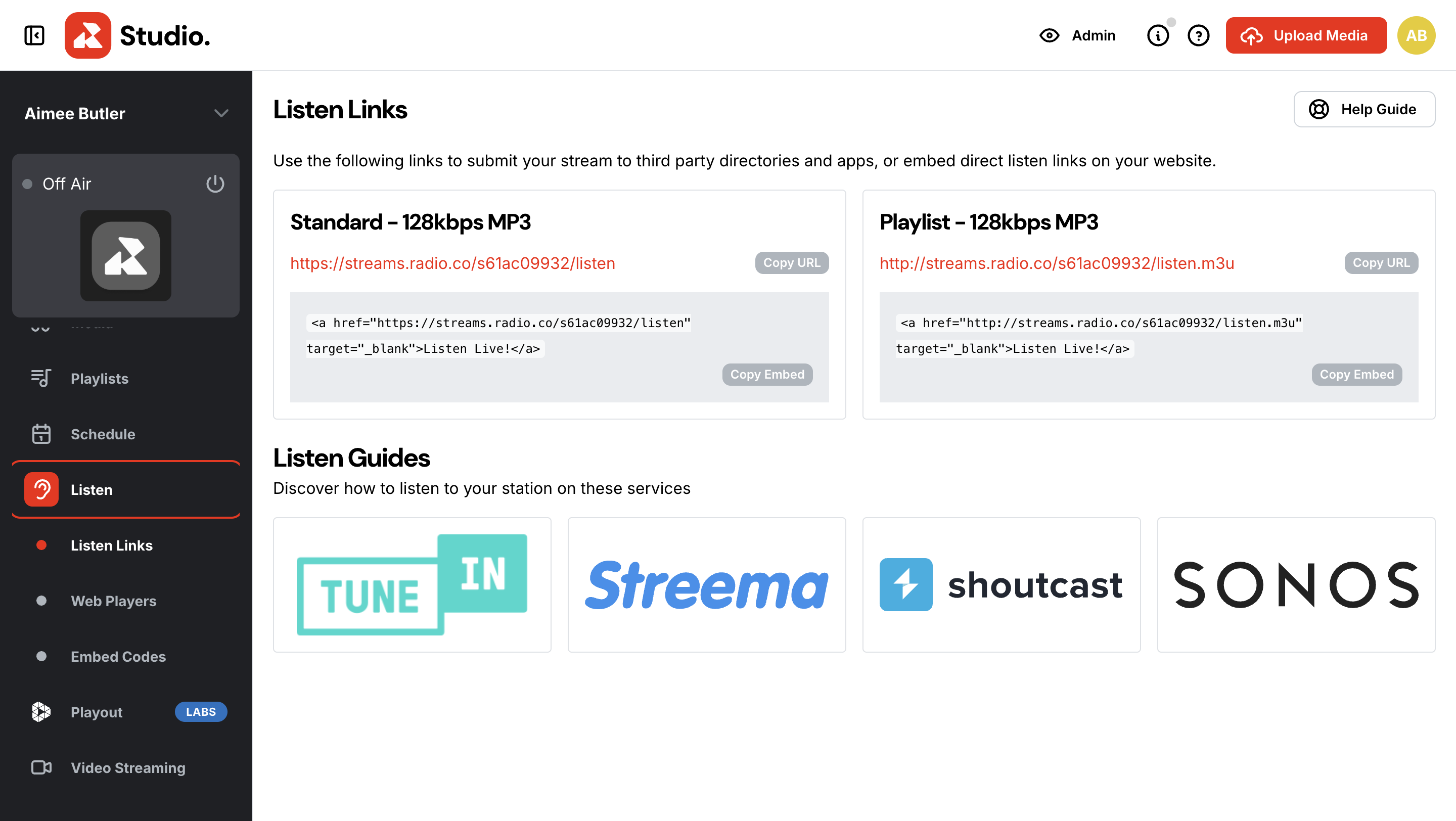
You also get three listen links that play your radio stream: a standard browser link, a playlist link for streaming through apps, and a mobile link designed to use less data.
Radio Player: Where Listeners Tune In
What is a Radio Player?
A radio player is the device, app, or website that plays your live radio broadcasts either over the internet or the airwaves.
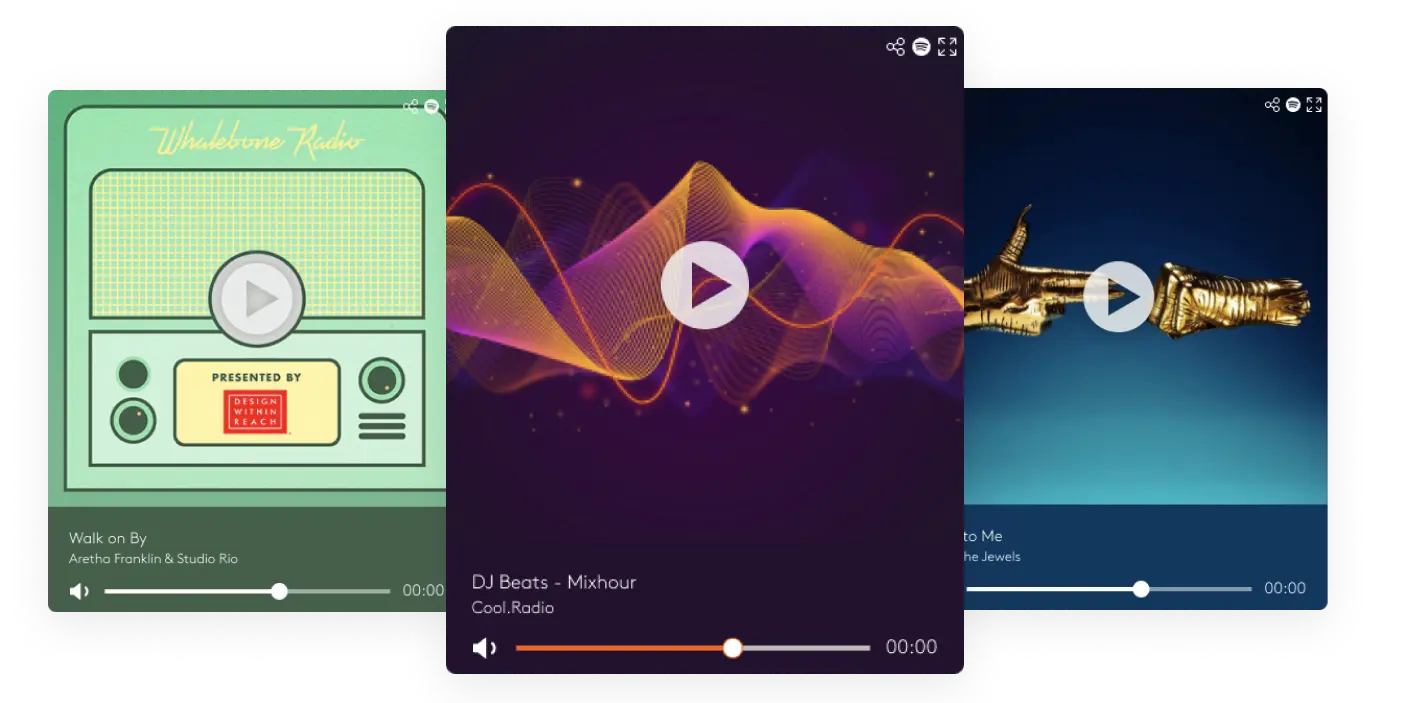
It is often the first point of listener interaction with your station. It allows them to play and pause your broadcast, adjust the volume, and view details like your station name, current track, and artist artwork. Once a listener comes across your station, a player makes it easy for them to instantly start listening.
With Radio.co, you can create your own customisable web player so it feels unique to your station. You can then share your stream URL with your listeners or third-party directories, so people can tune in on their own devices.
Content & Music Library
Music, jingles, adverts, interviews, and talking segments are what will essentially make up your station. Your station’s format and goals, and how you want it to sound, will determine the style and mix of shows that you decide to broadcast.
All audio files are stored in a music or content library, ready to be added to a playlist or schedule.
Your content and media library are especially important for automated broadcasts because it is where your automaton will pull content from to broadcast while you’re not there. When broadcasting live, you can pull individual audio files yourself to include in your show.
How Should You Organise Your Library?
We know it doesn’t sound fun, but a well-organised content library will make everything easier in the long run. Finding the right content quickly and building schedules will save you time when it comes to putting your station together.
You can structure your music by artist, mood, or genre, and keep other audio and production content separate in different categories.
Radio.co’s Tags feature helps you keep your library organised and easy to use by categorising multiple tracks with labels such as genre, mood, or era. This makes finding specific tracks and managing your library even easier, while also helping playlist automation and scheduling.

Analytics: Understanding Your Audience
Once you start broadcasting and your first few listeners start tuning in, it’s important to get to know your listeners’ behaviour and understand how people are listening.
Radio analytics provide you with information about your audience and your broadcasts. They allow you to see what’s working for your station and what you might need to improve on.
What Statistics Can You Track?
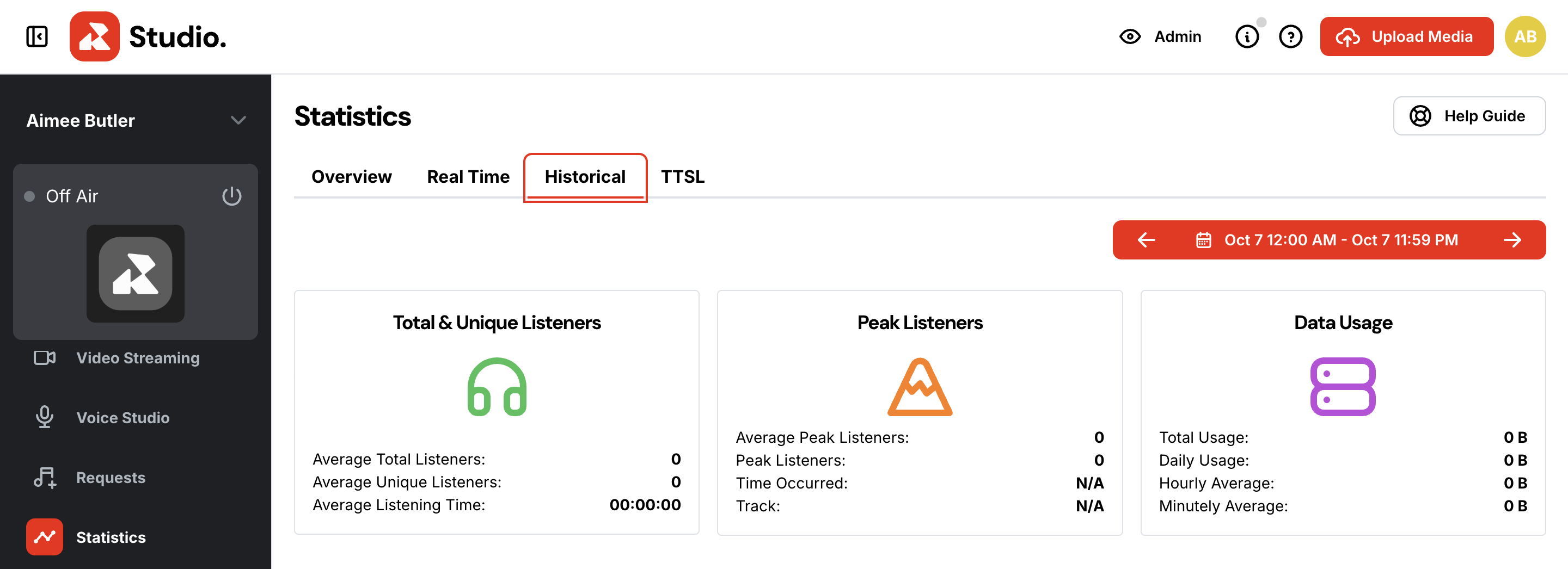
You can track metrics such as your total listener numbers, listening time, your most popular shows, and listener locations. These insights can help you understand when people are tuning in, which content is bringing in the most listeners, and how your audience is growing.
Understanding your audience and why they listen is essential to gaining a clear picture of your station and the value it’s providing.
In your Radio.co dashboard, you can view your station statistics in the Statistics tab. See active listeners on a live world map and popular listening devices, and track metrics like peak listening times and total time spent listening.
The Website & Station Identity
Why Should Your Station Have an Identity?
Your radio station needs to be more than something people simply tune into on their way to work or in the car. It needs to become a space where listeners can discover more about your station, connect with your content, and find a community.
Your name, logo, website, and overall look will all help listeners recognise your station and understand what it’s about.
With stations competing for listeners’ attention across more platforms than ever, a recognisable identity can help you stand out and give your audience a reason to tune in and keep coming back.
How It All Fits Together
A radio station comes together when all of the above elements work alongside each other.
Your content library provides the audio, while scheduling and playout help you select and organise what goes on air. Live broadcasting allows presenters to take control of the show, while audio processing and streaming prepare, polish, and deliver the broadcast to listeners.
The radio player and website then give your listeners a place to tune in and discover more about your station. Analytics allow you to understand your audience, assess your broadcast performance, and see how people are listening.
Each element has its own purpose, but they work together to create the complete radio station experience.
Building Your Radio Station With Radio.co
Starting your own radio station can seem complicated when you look at all the various components involved, from audio processing to audio playout. The good thing is, you don’t have to buy, build, and configure every part from scratch.
Radio.co brings the tools you need to run an internet radio station together on one platform. From managing your audio content and scheduling your segments and broadcasts to streaming your station to listeners and understanding your audience, Radio.co makes the process of setting up and running a radio station smooth and simple.
Whether you want to create an automated music station, record and stream live, or combine the two, you can build your radio station setup around exactly how you want to broadcast.
Ready to give it a go? Book your demo today to receive an in-depth, one-on-one walkthrough of Radio.co. Try the tools we offer for yourself, get answers to any questions there and then, and leave knowing exactly what to do next.


