Need advice? Let's talk.
Get straightforward guidance from your broadcasting partner. Schedule a call to chat with the team about your radio station.
Book DemoThe Best Audio Mixer Software To Use For Radio
Weave audio into seamless broadcasts with the help of some nifty programmes. Here's our pick of the 10 best audio mixer software to use for radio.

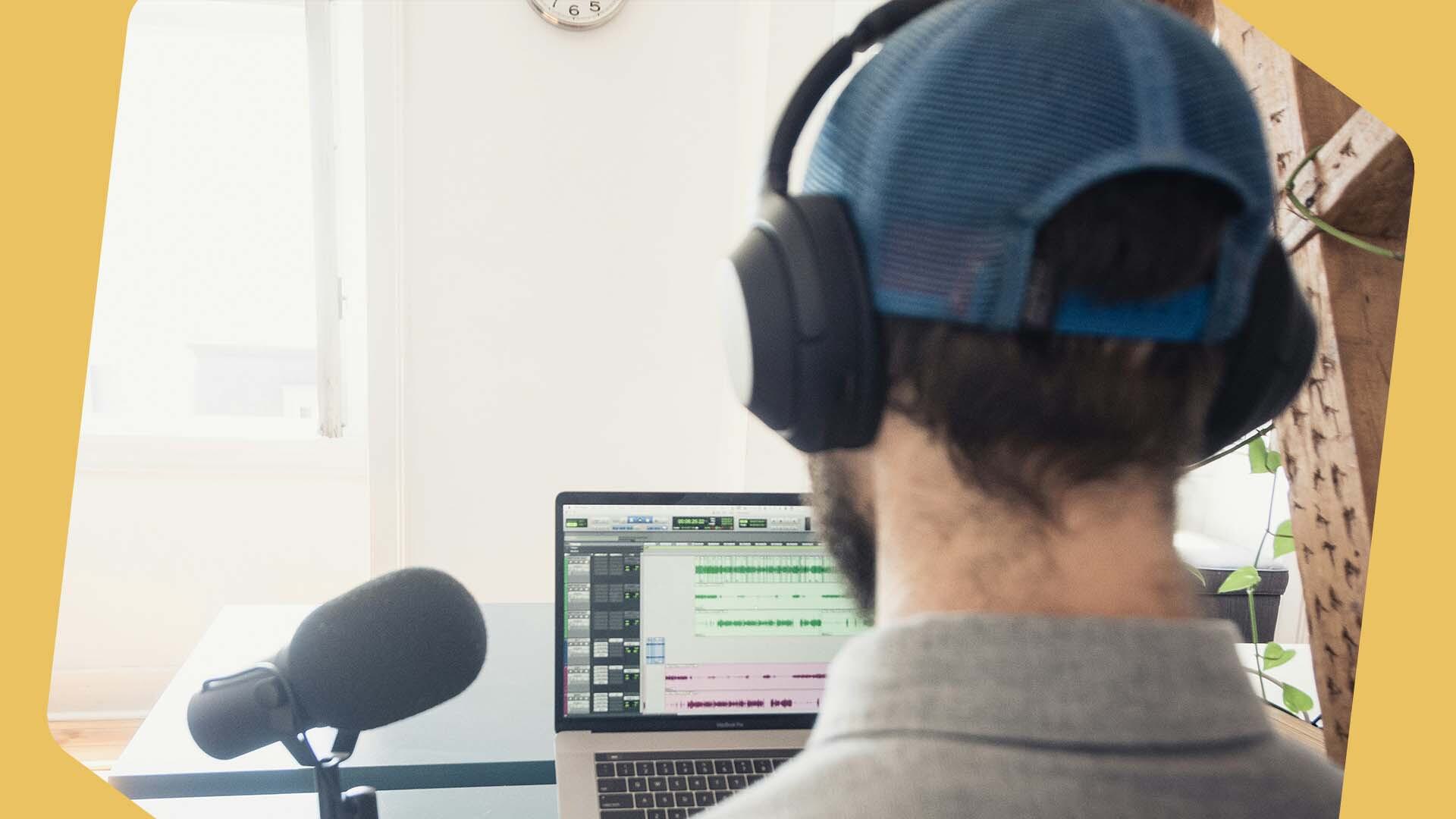
Sonically speaking, great radio stations use a tapestry of different audio to give that engaging and professional sound. From the radio imaging like jingles and idents, to the music they play and the conversations in between, this is all stitched together into one seamless stream.

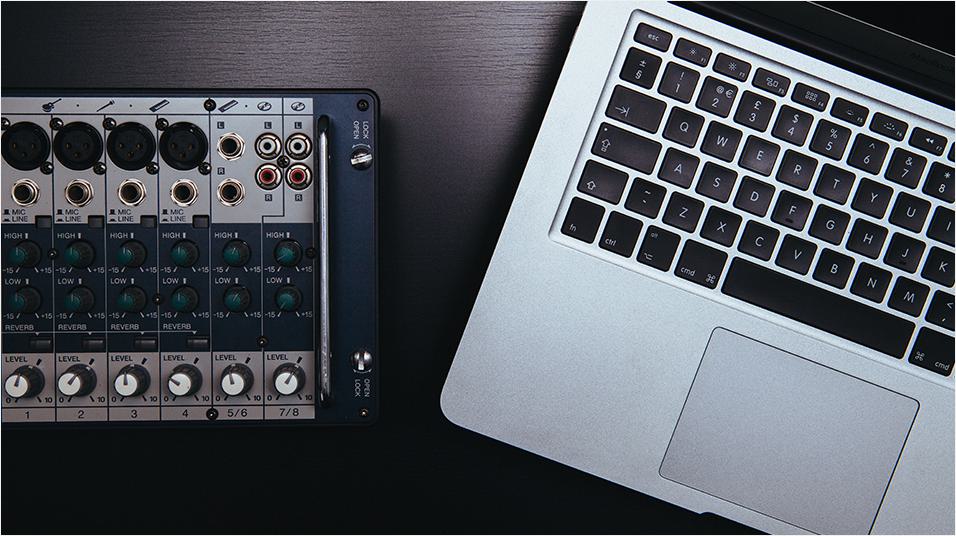
The traditional way to mix audio together was using a mixing desk. But while they're still a popular choice, mixing desks can be expensive and bulky. For those with space and money constraints, the right audio mixing software can do the same job, all from your computer.
At A Glance: The Best Audio Mixer Software To Use For Radio
- The Best for the Pros: Ardour
- The Best for Budget-Friendly Stations: REAPER
- The Best for Beginners: Audio Hijack
- The Best for Windows Users: Voicemeeter
- The Best for MacOS: Audio Hijack
How Does Audio Mixer Software Work?
Audio mixer software, also referred to as digital audio workspaces (DAWs), are programmes that let you record and mix audio. Audio mixer software can combine multiple sounds and signals from various sources like music player apps and microphones.
With this software, you can also add effects and ensure the equalization is balanced. This creates a more professional-sounding radio station. These sounds are then all are combined into one new signal and transmitted to wherever you broadcast.
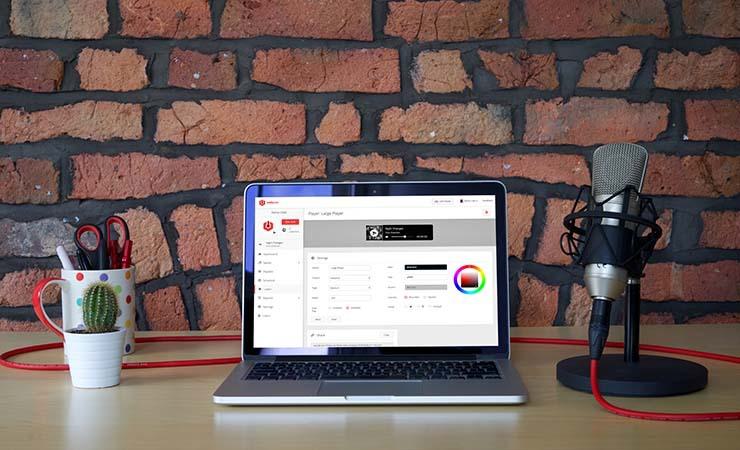
Now, it’s understandable to think any audio mixing software will do. But some setups only work on particular operating systems, such as Windows or macOS. Some are more advanced, while others are beginner friendly. With this in mind, we’ve rounded up ten of the best audio mixing software programmes for every broadcaster.
11 Best Audio Mixing Software for Radio
11. FL Studio
Works with: Windows & macOS
Cost: $115+
FL Studio is a highly customizable DAW. It features a massive library of virtual instruments, effects, and samples, as well as options for third-party plugins. With all of these tools, you may think that you need some experience to be able to use FL Studio. However, this audio mixing software has lots of documentation and guidance on how to use every feature. There is even a huge user community for support. Even if you’re just starting in the world of radio, FL Studio can work for you.
FL Studio has four pricing options. If you’re a beginner and don’t think you’ll need all the available features, feel free to select the cheaper option: the Fruity Edition. If you're more experienced and want to use everything that FL Studio can provide, you may be better off choosing the All Plugins Edition - however, this one comes with a hefty price tag.
It’s worth noting that if you do go for the Fruity Edition, it is the only pricing plan that does not include audio recording or stem separation.
10. Ardour
Works with: Windows, macOS & Linux
Cost: Donation if you want support from Ardour developers.
If you have professional broadcasting and audio engineering experience, Ardour is a great option. This open-source DAW can be complex for beginners, but more experienced audio engineers will appreciate how much control they have to customize Ardour’s tools.
You can record or import audio, edit it any way you wish, and mix, master, and export your work. With hundreds of plugins and floating point fidelity that gives you the same resolution whether you’re working with very loud or very quiet sounds, Ardour’s mixer tools are some of the best out there for those looking for customization. Ardour also integrates with Freesound, providing access to thousands of clips and jingles for your radio imaging needs.
9. LMMS
Works with: Windows & macOS
Cost: Free
For an open-source option, try LMMS. This software is a community-built and completely free DAW. Those on a tight budget may appreciate the price tag or rather, lack thereof. However, this software is less ideal for those looking for a lot of tools and features.
Through LMMS, you’ll get access to the Song Editor, the FX Mixer, and libraries of virtual instruments and effects. While you can do things like adjust audio volume and tempo, sampling, cutting, and recording are not possible through LMMS and require the use of additional software.
LMMS is an ideal option for those who only need some basic sound mixing assistance. But if you need more features, you’ll want to go with a more robust platform - and this will come with a higher price tag.
Users have also reported experiencing some crashes and bugs with LMMS, as well as requiring a bit of a learning curve to understand.
8. REAPER
Works with: Windows, macOS & Linux
Cost: $225 or $65 for non-commercial use
Don’t let the name scare you. REAPER is a DAW with multitrack and MIDI recording, editing, processing, mixing, and mastering capabilities. Similar to Ardour, REAPER is also designed with customization in mind, ensuring that you can create the DAW you need most.
This audio mixing software also provides support for thousands of third-party plugin effects and virtual instruments. It also offers features to create your own effects through the platform as well.
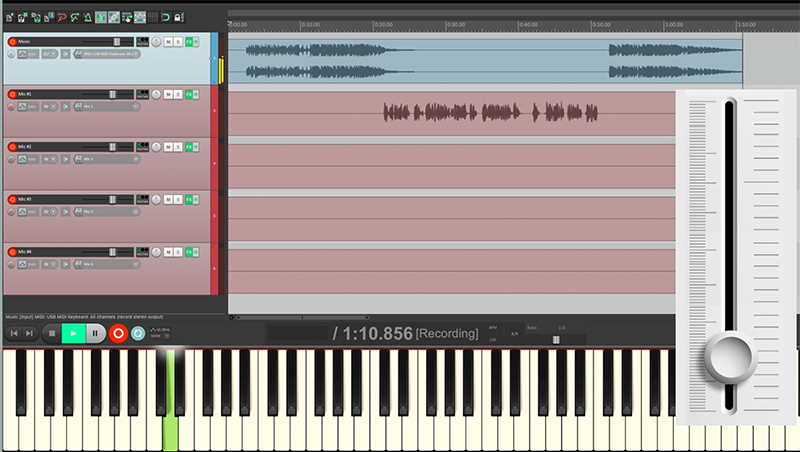
REAPER’s low one-time fee makes it great for those on a tight budget, but this doesn’t mean that it’s the best option for beginners. REAPER isn’t particularly user-friendly and does not have an intuitive interface. The platform is better for those who already have some audio engineering experience.
7. Adobe Audition
Works with: Windows & macOS
Cost: $22.99 (monthly subscription)
Adobe Audition offers a comprehensive suite of tools that fit all your audio mixing needs. You can record, edit, and add effects to your audio clips, so they sound exactly how you imagine them to.
With the Multitrack editor, you can combine multiple audio files into one complete composition and use Dynamic Processing to automatically lower the audio level of a track under a voiceover. This ensures better balance and sound quality. The Essential Sound panel also lets you edit the sound for an entire track, rather than just individual audio clips.
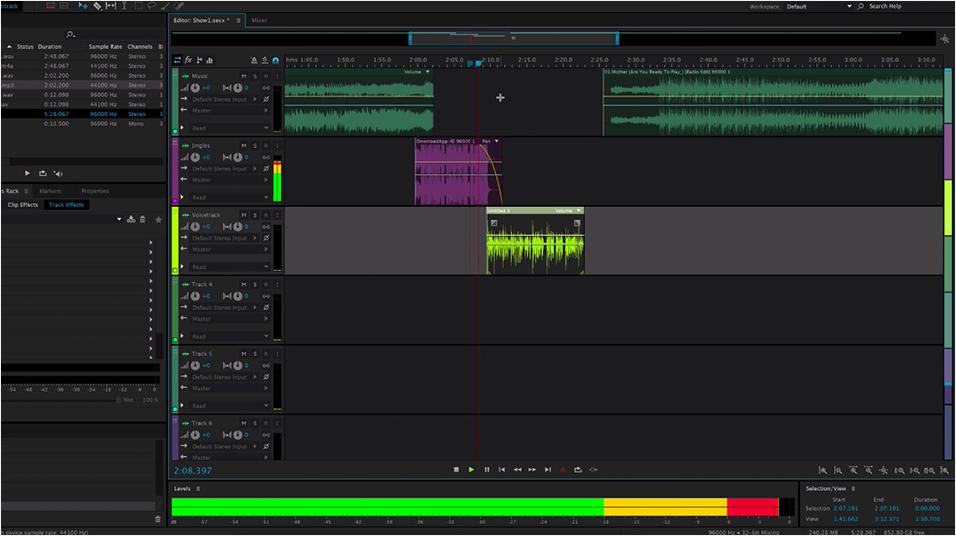
With highly customizable features and an easy-to-learn interface, beginners may find investing in Adobe Audition worthwhile. However, those looking for tools beyond Audition may want to opt for the entire Adobe Creative Cloud. This includes Audition alongside other Adobe applications.
6. Steinberg Cubase
Works with: Windows & macOS
Cost: From $110
Originally appearing all the way back in the 1980s, the Steinberg Cubase has come a long way to become the advanced DAW it is today. Better yet, it’s available on Windows and macOS. This audio mixing software has tools for composing, recording, editing, and mixing music. You also get access to virtual instruments, plugins, and audio clips to enhance your station’s sound.
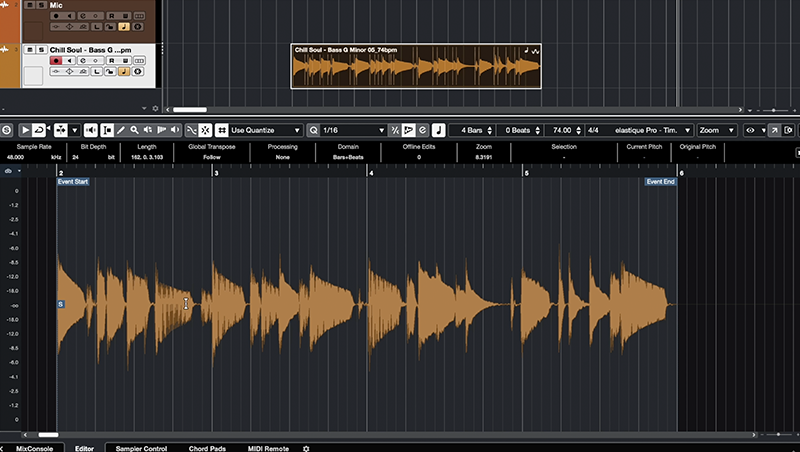
Cubase’s MixConsole offers customizable channel strips and advanced routing options, which streamlines the mixing, mastering, and broadcasting processes.
A negative is that Cubase charges a one-time fee that is considerably more expensive than Logic Pro. This makes Logic Pro a better budget-friendly choice for those using macOS.
5. Apple Logic Pro
Works with: macOS
Cost: $257
Apple Logic Pro is an audio mixing software option for those using macOS. This DAW is an all-in-one tool that not only enables you to mix your audio but also create it. With Logic Pro, you get AI-enabled assistance through Session Players, which follow your direction and make music for you. This could be a useful tool if you are in need of royalty-free music.
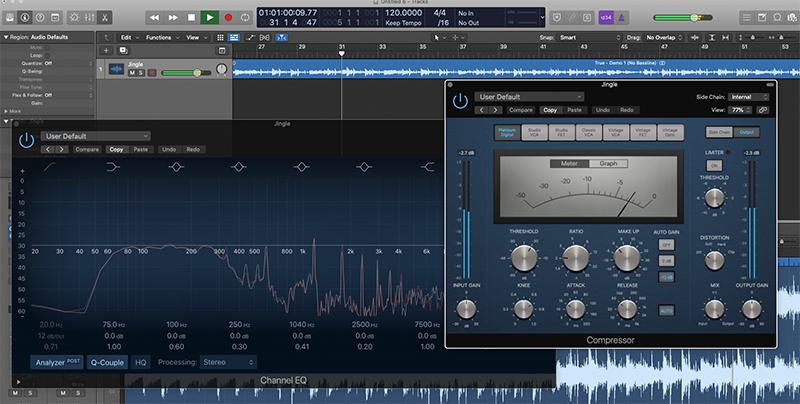
You can also split audio, add texture to your tracks, correct your pitch, and get AI-driven mastering and tempo assistance. You can record and export your audio through the DAW, but you can also take your Logic Pro on the go. Working with iPhones and iPads as well as Macs, Logic Pro lets you mix wherever you are. You’ll also get a vast collection of sounds to mix in, giving you a hand in your radio imaging as well.
Logic Pro charges a one-time fee rather than a subscription cost. This means you do have to make an investment, but you won’t have to keep paying month after month.
4. Voicemeeter
Works with: Windows
Cost: Donation
Don’t have macOS? Give Voicemeeter a try. This audio mixing software is PC-friendly and only runs on Windows operating systems. You’ll route your audio into the DAW, apply effects, mix audio together, and then broadcast by a virtual audio cable.

Voicemeeter’s pricing makes it ideal for those with a smaller budget. This DAW is donationware, which means that you can download and try it free of charge. If you decide to keep using it, you can - and should - make a donation based on your usage.
Voicemeeter has three versions, with each one offering slightly different features. While Voicemeeter Standard has the fewest channels, Voicemeeter Banana includes more, and Voicemeeter Potato adds the most.
3. SoundDesk
Works with: macOS
Cost: $52
SoundDesk is another DAW which is only compatible on macOS. It has a fader-based interface, so in effect, you can turn your Mac into a virtual mixing desk. You route audio sources into SoundDesk, add effects, and mix your audio together. From there, you can send the result to your radio station via a virtual audio cable.
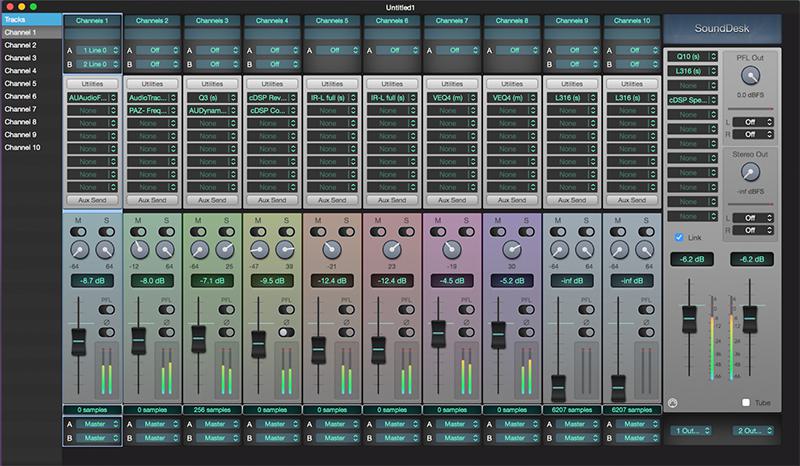
SoundDesk is a very powerful tool, and offers more routing and processing options than Audio Hijack. But it can be complex to use if you’re not familiar with audio routing and mixing desks. It’s also worth noting that SoundDesk is a solid option if you don’t have a big budget, as it is a very low-cost audio mixing solution. For beginners looking for a low-cost solution, be sure to check out our SoundDesk guide.
2. Audio Hijack
Works with: macOS
Cost: $77
Audio Hijack is a DAW that’s known for being very easy to use, making it simple to alter, record, mix, and broadcast multiple forms of audio. Audio Hijack uses clearly labelled blocks for every part of your audio chain, which the user can drag and drop into the app. For example, you could use one block to capture the audio from a microphone, another block to edit this audio e.g. with a low-pass filter, and another block to send this to your internet radio station.
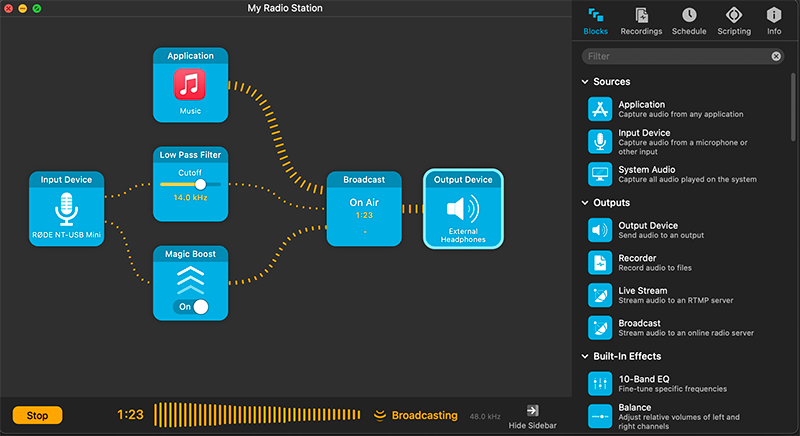
One major advantage with Audio Hijack is that you won’t need any virtual audio cables to broadcast your mix to your station. With its intuitive interface, Audio Hijack is our favourite audio mixing software for broadcasters using MacOS, especially if they’re looking for a simple yet powerful solution. But for more tech-savvy users, you might be happier with a cheaper option.
1. Radio.co's Playout
Works with: Microsoft Edge or Google Chrome browser on Mac or Windows operating systems.
Cost: Included with Radio.co Standard and above subscriptions.
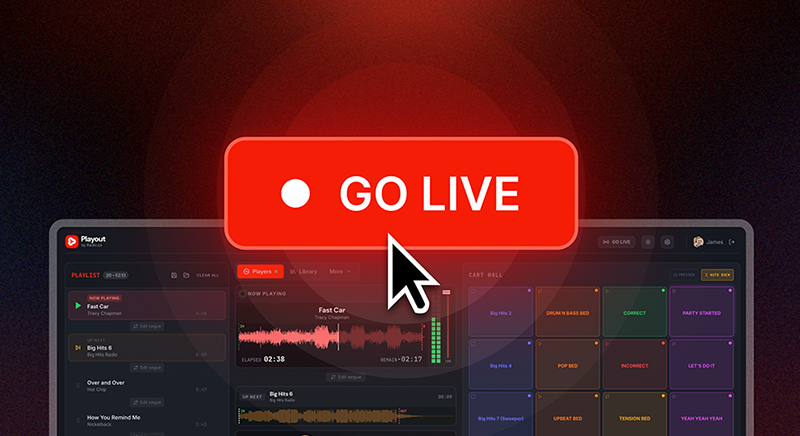
Our number 1 choice for the best audio mixer software has to be our new feature, Playout. Playout is a browser based, live-assist tool. Playout brings together all the essential tools for creating live radio shows, into one screen. This includes:
- Playlist & Queue: Perfect your running order by dragging and dropping tracks or auto-generating playlists.
- Auto-save sessions: Build your show structure and save this for the next live show.
- Track & Library Access: Browse, search and stream tracks directly from your Radio.co library, no double uploading.
- Segue Editor: Use Auto-on for intelligent crossfading or manually fine-tune your transition points.
- Customisable Cart-wall: Fire off sound effects, idents and jingles from the 20-tile, customisable cart wall.
- Microphone: Select any connected microphone or audio interface and monitor your levels with a real-time VU meter.
- Reporting and Logs: See your played track history in real time and export CSV play logs for licensing reports.
- Live Streaming: Go live to your Radio.co station with a single click.
The beauty of Playout is you have all the tools to deliver a polished, professional live show packaged into your browser. This removes any technical complexity of routing together different programmes. And it means all your DJs and hosts can use the same programme, irrespective of what computer they use and without having to download anything.
Playout is included with Radio.co's Standard and above plans. If you're on Lite, you can upgrade in the billing section in the Radio.co dashboard. Not with Radio.co? Try Playout (and our other features!) for free for 14 days.
Wrapping Up…
Audio mixing is how you put your audio together and create some magic. Mixing helps you create balance in your audio, making it more pleasant to listen to and easier to hear. With these audio mixing software tools, you can create the sound you want, as well as add effects to make your finished broadcast more engaging and better to listen to.
Looking to invest in a mixing console instead of using audio mixing software? Check out our review of the RODECaster Pro II.


