Need advice? Let's talk.
Get straightforward guidance from your broadcasting partner. Schedule a call to chat with the team about your radio station.
Book DemoHow To Use Virtual DJ 2026 With Your Radio Station
Popular DJ software, virtualDJ, is upgraded for 2026. Discover what’s new and how to broadcast live to your radio station with our guide.


What is VirtualDJ?
Sound is integral to your radio station. Whether you’re playing music, mixing tracks, or sampling different audio, this variety can take your radio show to new heights, keeping it dynamic, and holding audience attention from start to finish.
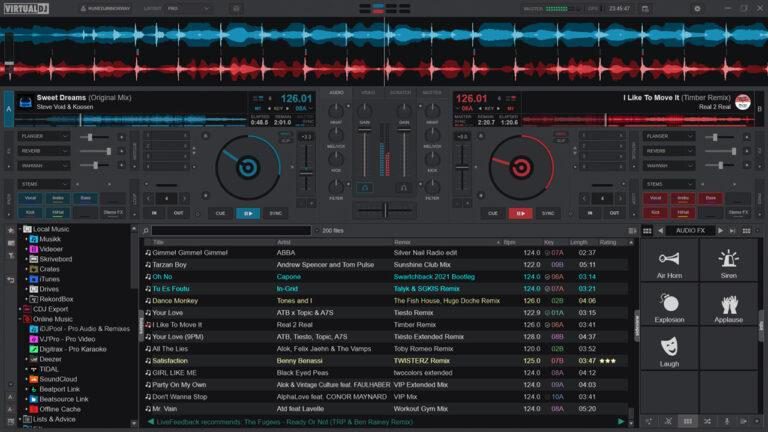
VirtualDJ is an advanced software platform built for DJs and broadcasters, fully equipped with plenty of easy-to-use features and professional mixing tools. Highly regarded by users and industry professionals alike, the platform uses modern technology to streamline how DJs create, mix, and share music, effectively replacing traditional vinyl or CD decks.
Why It’s Useful for You
One of the most popular audio-mixing software platforms out there, VirtualDJ works for everyone, whether you’re a beginner just starting out, or you’ve been on the scene for years. Replacing the traditional DJ setup with an impressive digital workstation, the platform’s user-friendly interface and advanced technology means you can mix, stream, and broadcast straight from your laptop.
With innovative and versatile features, the platform is a great choice for any and all DJs. Whether you're an aspiring beginner, or a seasoned professional, VirtualDJ gives you everything you need to create smooth-sounding mixes and has been used and lauded by industry phenoms like David Guetta and Afrojack.
For radio station owners or managers, VirtualDJ allows you to smoothly broadcast live mixes to different servers, including Shoutcast and Icecast. Connecting to your radio station is quick and simple - read to the end of this article for a short guide on how to do this.
The platform also works with 300+ controllers and mixers, meaning users can choose to work with a wide range of equipment. Perhaps a feature that really demonstrates the software’s ease is its ability to run entirely on a computer or laptop. Mix and broadcast from anywhere.
VirtualDJ Current Core Features
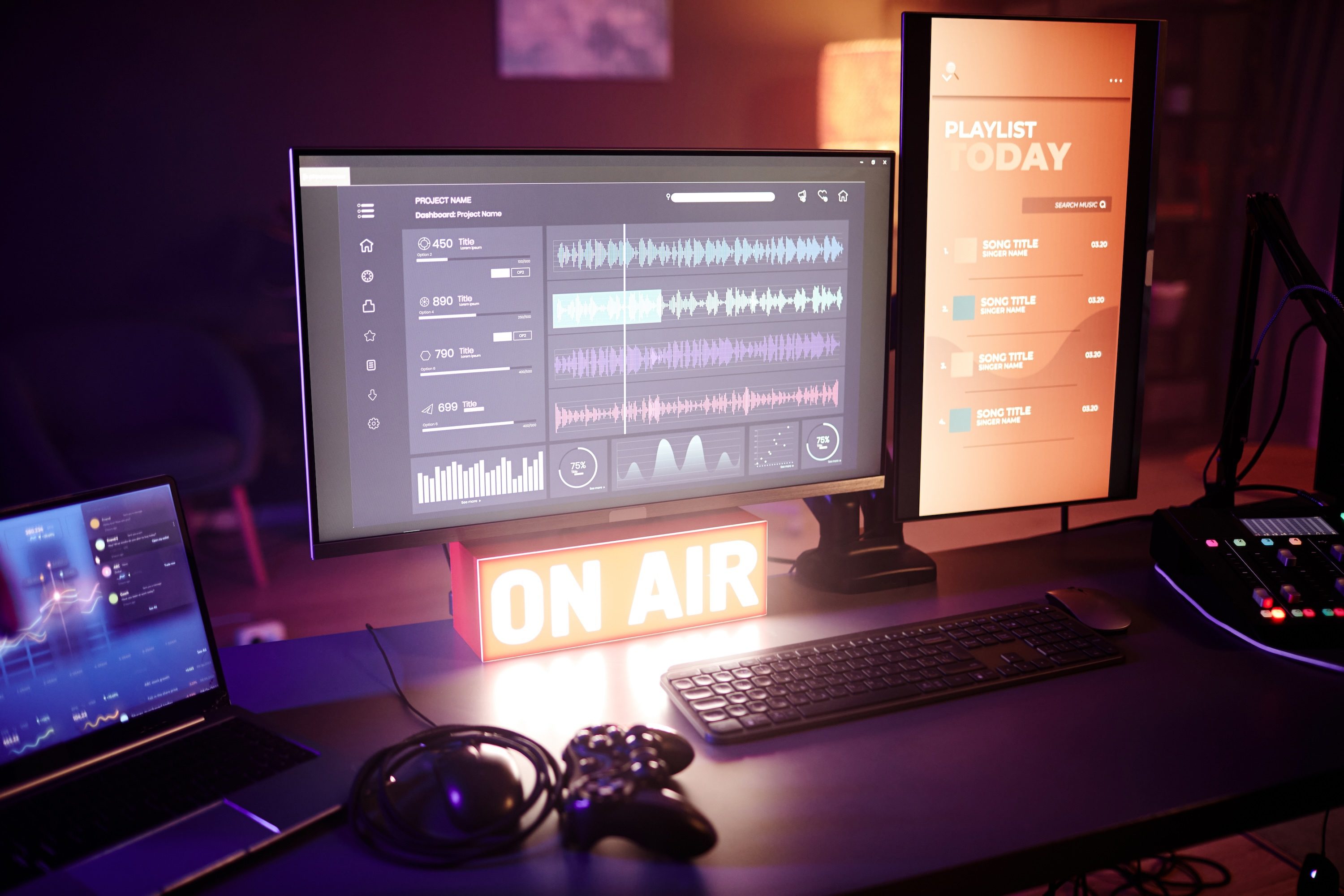
Committed to revolutionising the DJ space, VirtualDJ’s contains innovative features that focus on flexible, AI-driven mixing and library management.
- Real-time Stem Separation: This allows DJs to adjust and manipulate track vocals, instruments, and other components during a live broadcast or mix.
- Hardware Compatibility: The platform offers “plug-and-play” support for over 300 controllers and mixers.
- Advanced Audio/Video Engine: The platform includes seamless video mixing for music videos and visuals, supported by a professional engine that handles 4K video and high-fidelity audio.
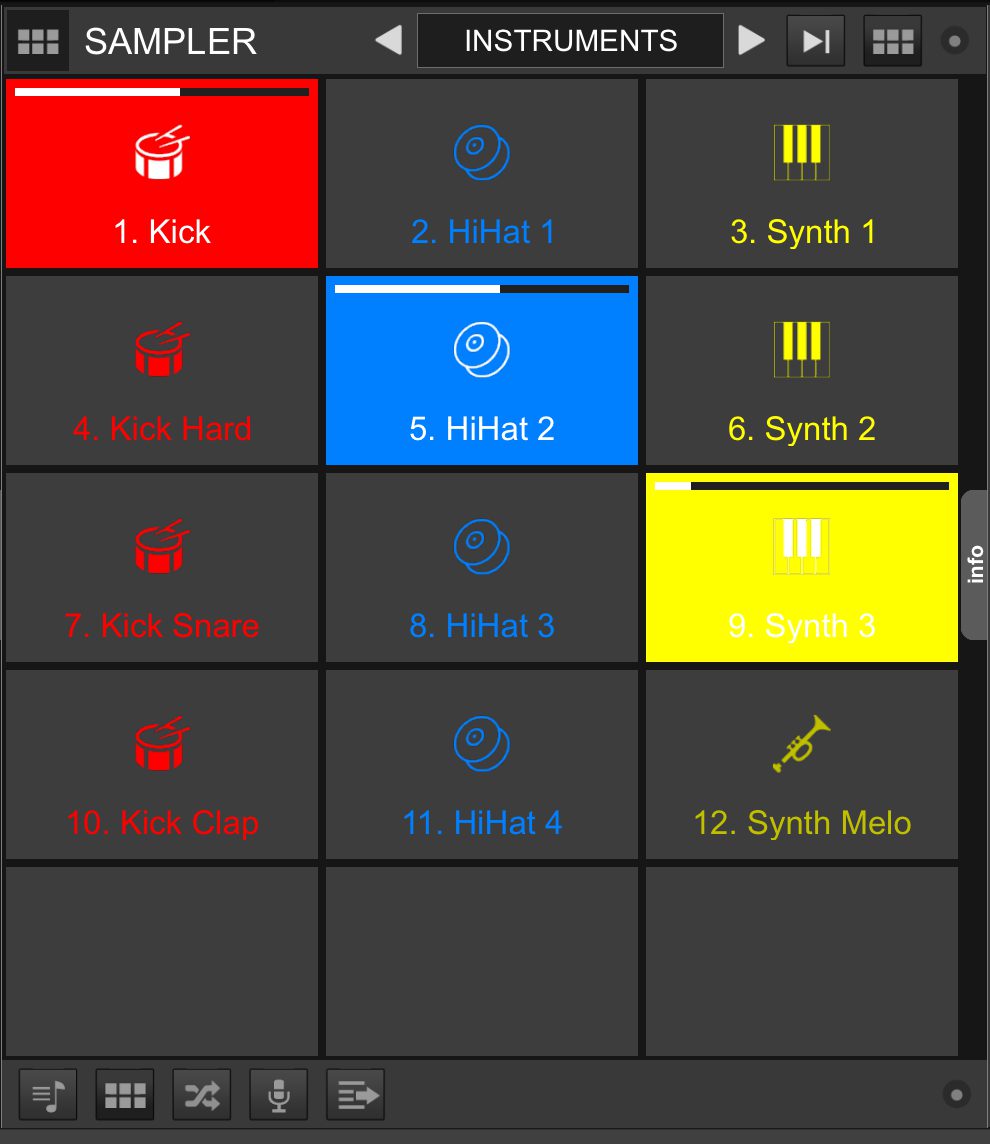
- Sampler: This tool can hold audio and video samples, organised into unlimited banks for easy access.
- Sandbox Mode: This allows DJs to prepare for upcoming parts of their stream by testing transitions and mixes in the next track without the audience hearing a thing.
- Broadcasting & Recording: DJs can record high-quality mixes and connect directly to various external platforms like YouTube, their radio station with Radio.co, and Shoutcast or Icecast servers.
What’s New in 2026?
It’s no secret that AI is becoming more and more prevalent across most parts of society - with DJing and radio broadcasting no different. Many of the new features and updates introduced to VirtualDJ in 2026 are focused on AI automation, making the user experience smoother and faster.
- AI-Generated Lyrics: New in 2026, VirtualDJ can now autogenerate and extract the lyrics for any track and display them directly on the screen as the music plays, both on the waveform and the video screen. This helps DJs monitor and time their mixes, pinpoint specific lyrics for mashups, and identify vocal clashes - while also reducing the amount of software needed.
- AI Prompts: DJs can use this new feature to find inspiration for their shows and sets, or compile entire playlists of tracks related to the exact mood. By typing a ‘natural language request’ into the AI Prompt search bar (e.g. 90s hip hop tracks), users will be provided with a range of suggested tracks that link to the requested theme and can be promptly dragged into the decks.
- Professional FX Engine Revamp: After undergoing a revamp, VirtualDJ’s professional FX engine now comes with a host of added audio effects, including various versions of the classics. Browse the updated list, select the effects you want to use, and add them to your own workstation.
How To Connect VirtualDJ to Radio.co
You can connect your VirtualDJ mixes directly to your online radio station with Radio.co. Read below for our guide on how to do this, and start broadcasting live to your station audience.
1. Setting Up
Download VirtualDJ to your computer. You will need to purchase a license here in order to broadcast to your radio station. Packs range from a low-cost home DJ setup for £4/month to a more expensive business plan priced at £90/month.
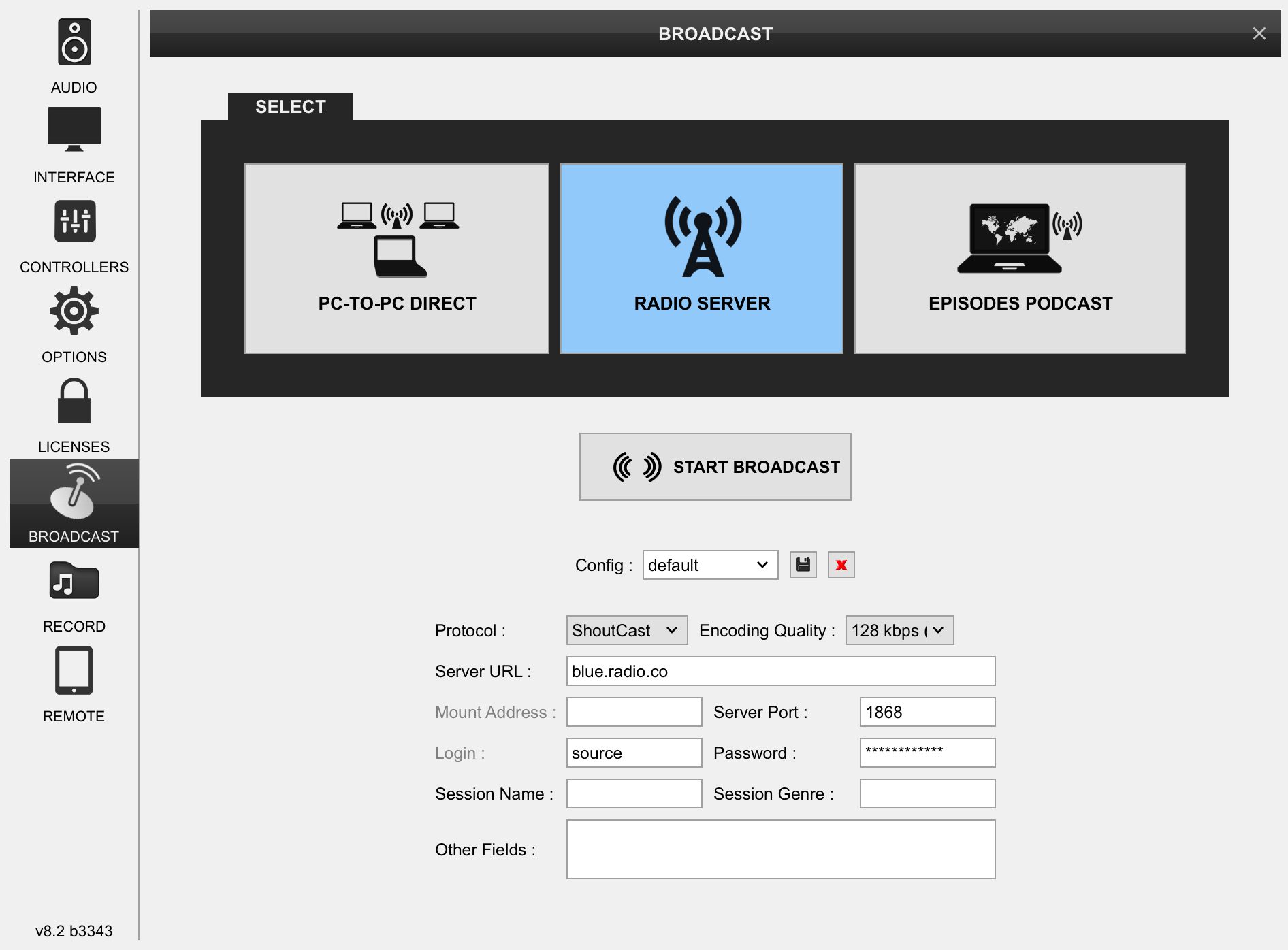
Once installed, launch the platform and load and queue some tracks. In the settings, select the Broadcast option, and then the Radio Server option.
Tip: You can download and import any music or videos to your workstation to use when you’re broadcasting. If you’re new to the platform or software and require some tips and guidance, head to the VirtualDJ help page here, where they can explain the basics. It’s worth remembering that you need a music license to broadcast tracks that aren’t royalty free; check out our article on internet radio licensing for more information.
Input your station details (server URL, server port, broadcast password), which can be found under the Live tab within the Radio.co dashboard, and save them for easier access next time.
2. Going Live
Now, schedule a live event in your radio station’s calendar, and before selecting Start Broadcast, play around with some music in VirtualDJ, queue some songs and organise your show schedule. When you’re ready, start the broadcast and connect directly to your online radio station.
You can monitor the connection status in the Radio.co Dashboard and you can also listen to your broadcast from the dashboard to ensure the signal is stable. Okay. Click the Play button or click Listen, Streaming Links, and your /listen URL.
If you want a more visual guide to connecting your radio station to VirtualDJ, take a look at our live broadcasting demo, where we can walk you through the process step-by-step.
Conclusion
VirtualDJ offers professional high-quality tools, supported by AI, to take your mixing and broadcasting experience to the next level. From beginners practicing at home to experts prepping for a club appearance, this platform's features keep your sound dynamic and fresh, and allow you to seamlessly connect directly to your radio station - simply from your laptop.
Start your 14-day free trial of Radio.co today and start broadcasting your favourite sounds and mixes on the most advanced and accessible radio platform.


