Need advice? Let's talk.
Get straightforward guidance from your broadcasting partner. Schedule a call to chat with the team about your radio station.
Book DemoRadio Terms: Your Radio.co Guide to Common Features and Functions
Cut through radio jargon with a simple glossary that explains each feature in plain language. Grasp the essentials now.


When you first step into the world of online broadcasting, the terminology can feel like a foreign language. Words like “bitrate”, “metadata”, and “auto-DJ” are often thrown around as if everyone already knows them, but they can be confusing when you’re just getting started. That’s where this radio terminology guide comes in.
Below, you’ll find a practical glossary of the most common terms, features, and functions used in internet radio and broadcasting, all explained in plain English. More importantly, you’ll learn how each one connects to the tools inside Radio.co, helping you create a professional, automated, and reliable station.
Whether you’re launching your first online station or improving your setup, understanding these fundamentals will make your broadcasts sound better and run smoother.
1. Auto-DJ
Auto-DJ is the feature that keeps your station running automatically when you’re not live. It plays music, jingles, or pre-recorded shows from your uploaded library, ensuring continuous output. On Radio.co, the Auto-DJ operates entirely in the cloud, meaning you can upload tracks, build playlists, and schedule shows that play even when your computer is off. The system handles transitions, cross-fades, and scheduling seamlessly, keeping your station live 24/7.
2. Live Stream Relay
A live stream relay is when one stream rebroadcasts another, allowing you to share an external event, partner show, or live feed. Within Radio.co, you can add relays directly to your schedule by entering an external stream URL. This is perfect for stations that simulcast content, broadcast events, or collaborate with other creators, ensuring a smooth handover between your content and theirs.
3. Stream Bitrate
Bitrate refers to how much data is transmitted per second in your stream, measured in kilobits per second (kbps). A higher bitrate gives better sound quality but uses more bandwidth. Radio.co allows you to choose and adjust your stream bitrate to balance quality and accessibility. Typical settings range from 64 kbps for mobile listeners to 320 kbps for premium sound, letting you tailor your station to your audience’s needs.

4. Metadata
Metadata is the information attached to your stream that tells listeners what’s playing, such as the track title, artist, and album. Inside Radio.co, each uploaded track has editable metadata fields, and this data updates automatically across your player, website widgets, and connected directories. Accurate metadata enhances your station’s professionalism, improves search visibility, and supports royalty reporting for licensed broadcasters.
5. Scheduling
Scheduling allows you to plan when specific shows, playlists, or relays broadcast. On Radio.co, the intuitive calendar-based scheduler lets you drag and drop shows into time slots. You can create recurring programmes, one-off specials, or seasonal events, and once saved, your schedule runs automatically. Combined with Auto-DJ, this ensures your station is always active and well-structured, even without live presenters.
6. Playlists
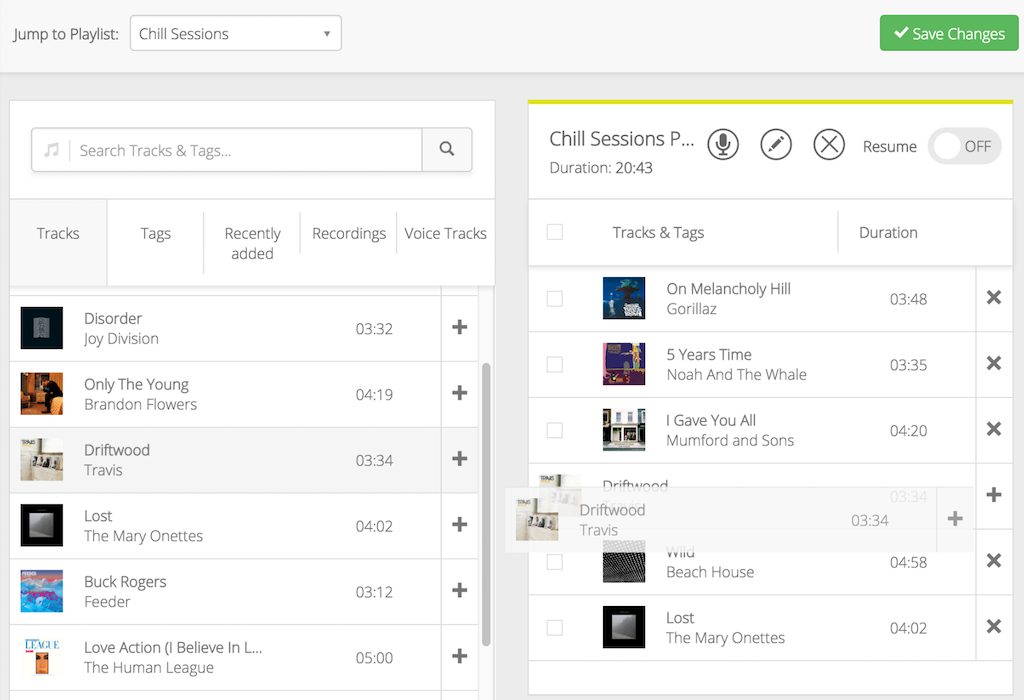
Playlists are curated groups of tracks played in sequence or shuffle. In Radio.co, you can create multiple playlists based on genre, theme, or show type, then assign them to time slots in your schedule. You can also blend playlists with jingles and station IDs for a consistent sound. This setup gives you a fully automated yet dynamic broadcast.
7. Track Tagging
Track tagging categorises your audio library with labels like “music”, “ad”, or “jingle”, helping your automation software decide what to play next. In Radio.co, you can tag uploaded files and use these tags to build playlists or rotation rules. For instance, you might schedule one “ad” after every three “music” tracks. It’s one of the most flexible features in this Radio.co feature guide, keeping your output balanced and engaging without constant manual control.
8. Transitions and Cross-Fades
Transitions define how one track moves into the next, while cross-fades blend the end of one track with the start of another to avoid silence. Radio.co manages these automatically, but you can customise fade lengths globally or for specific tracks. The result is a polished, professional flow that feels live, even when automated.
9. Live Broadcast
A live broadcast streams audio directly from your microphone, mixer, or software in real time. With Radio.co, you can go live using tools such as BUTT, Mixxx, or the platform’s built-in Live DJ system. When you connect, the station automatically switches from Auto-DJ to live mode, and then back again when you disconnect. This seamless handover allows multiple presenters to broadcast from anywhere without complex setup changes.
10. Encoders and Broadcasting Software
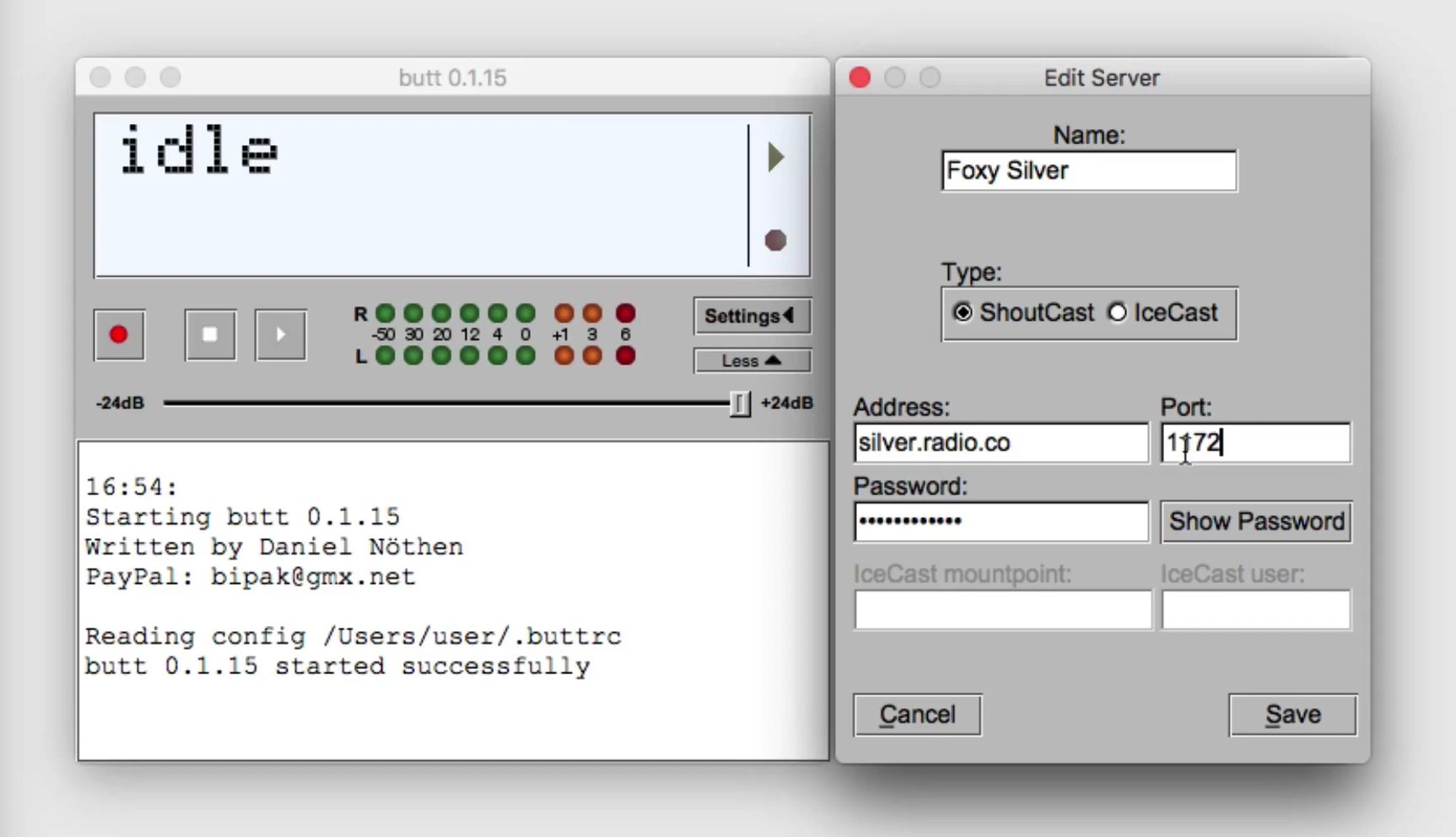
Encoders convert your raw audio into a digital stream that can be transmitted online. Radio.co supports all major encoders that use Icecast or SHOUTcast protocols, including BUTT, Virtual DJ, and SAM Broadcaster. Once connected with your stream details, your encoder sends the live feed straight into your Radio.co server for instant broadcasting.
11. Listener Statistics
Listener statistics track who’s tuning in, when, and for how long. The Radio.co dashboard provides detailed real-time analytics, including listener counts, locations, devices, and peak times. You can also export reports to share with advertisers or sponsors. Understanding these insights helps you refine your schedule and grow your audience strategically.
12. Widgets and Player Embeds
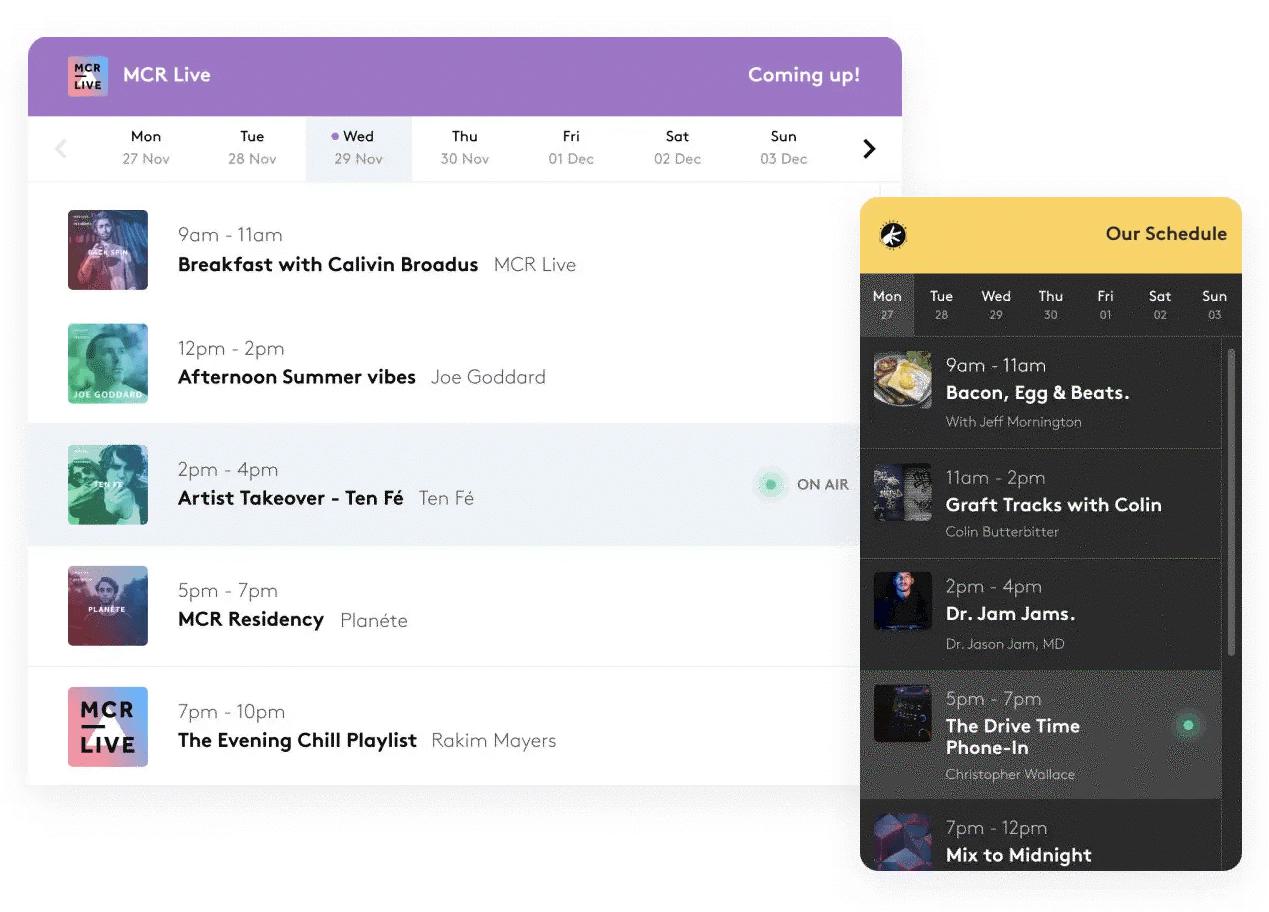
Widgets and player embeds let you add your station player, “Now Playing” info, or schedule directly to your website. Every Radio.co account comes with a customisable player that matches your branding. You can embed it using simple code, allowing listeners to tune in instantly without leaving your site.
13. Mount Points
Mount points act as connection paths for your streaming server, letting listeners access your audio feed. Radio.co allows multiple mount points for different bitrates or formats, such as MP3 or AAC. This gives you flexibility to cater to both high-quality and low-bandwidth listeners simultaneously.
14. Cue Points
Cue points mark where playback begins and ends within a track. In Radio.co, you can adjust cue points when uploading music to trim silences or long intros. This helps tighten transitions and keep your broadcast sounding sharp.

15. Royalty Reporting
Royalty reporting tracks which songs you’ve played so that payments to licensing bodies like PRS, PPL, or SoundExchange can be made accurately. Radio.co automatically records your playback history and generates ready-to-submit reports, removing the need for manual documentation and ensuring compliance.
16. DJ Management
DJ management gives each presenter unique access to the station while controlling who can broadcast and when. On Radio.co, you can create individual logins for DJs, assign time slots, and track their connections. It’s ideal for community stations or teams that share airtime while keeping the system secure and organised.
17. Geo-Blocking
Geo-blocking restricts access to your stream in specific regions for licensing or rights management purposes. Within Radio.co, you can easily enable this feature to ensure your content is broadcast only where permitted.
18. Stream Archiving
Stream archiving automatically records your live shows for later use. Radio.co lets you store and download recordings directly from your dashboard, making it easy to repurpose content for podcasts or replay previous broadcasts on demand.
19. Redundancy and Cloud Hosting
Redundancy ensures your station stays online even if one server fails. Because Radio.co is fully cloud-based, your stream is hosted on multiple backup servers, automatically switching if an issue occurs. This keeps your station live and reliable without needing on-site equipment.
20. Stream URL and Player Links
Your stream URL is the direct web address of your broadcast feed, used by apps, directories, and smart speakers. Radio.co provides this under the “Listen” tab, allowing you to share your link across platforms or submit it to directories like TuneIn or Radio Garden so listeners can find you anywhere.
Final Thoughts: Your Complete Radio Terminology Guide
Understanding how these core functions work together is the key to building a professional station that runs smoothly, sounds great, and keeps listeners engaged. This radio terminology guide has outlined the most essential internet radio features explained through the lens of how Radio.co supports each one.
From cloud-based Auto-DJ automation to live stream relays, listener analytics, and playlist scheduling, Radio.co unites every feature you need in one easy-to-use platform. You don’t need to be a tech expert to broadcast like one; with the right tools, your creativity can take centre stage.
If you’re ready to turn this knowledge into action, start your journey today. Start your free trial with Radio.co and see how effortless online broadcasting can be.


