Need advice? Let's talk.
Get straightforward guidance from your broadcasting partner. Schedule a call to chat with the team about your radio station.
Book DemoThe Best Tools & Resources To Improve Your DJ Radio Show
Stand-out on air, build your brand and win extra gigs. This is our guide for the best tools & resources to improve your DJ radio show.


Thinking of getting a radio slot to show off your DJ skills? Or perhaps you’ve already bagged yourself a spot. Congratulations. Our guide breaks down the best tools and resources for a DJ’s radio gig, so your show makes a lasting impression.
Best DJ Resources To Improve Your Mixing
Good DJing is largely good music selection, but for many mixing is still important. Perhaps you want to let the selection speak for itself. And aren’t too fussed about creative transitions. Nevertheless simple techniques - like bringing in the next song on the beat - makes you sound more professional.
Here are the best DJ resources to improve your mixing:
- YouTube channels: like Ellaskins cover the DJ basics like beat matching, phrasing and riding the pitch fader whereas Crossfader's YouTube channel is known for breaking down how to do creative transitions.
- Online DJ Schools: Crossfader & Club Ready DJ School both offer online courses for DJs of all abilities with lessons progressing from beginner to advanced.
- In-person DJ Schools: Many major cities have in-person DJ schools, where you can get hands-on practice without needing your own gear. E.g. LA’s Beat Junkie Institute of Sound, New York City’s 343 Labs and London’s Point Blank Music School.
- Open Decks: Test out your music selection, mixing skills and crowd control in real life buy going to an open-decks event. With the soaring rise in the popularity of DJing, many bars and pubs put on open-decks evenings on weekdays.
The Best Tools To Create DJ Mashups & Edits
Even if you’re not a producer-DJ combo, creating your own mashups and edits is a great way to distinguish yourself. This takes you from being another run-of-the-mill DJ, to one with a unique sound. Better yet, there are tools available for all experience levels. So even the beginner DJ can create their own edits.
Here are the best tools to create DJ mashups & edits:
Recording Mashups Live With Your Own Hardware
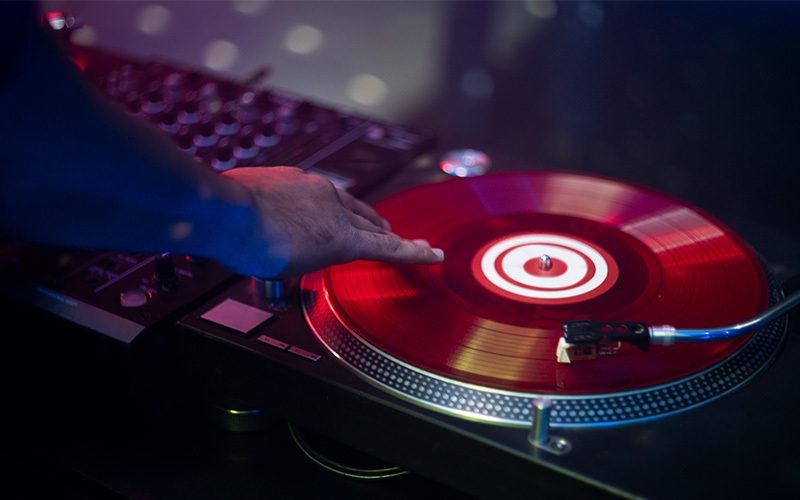
Using your own DJ decks or software is like the original playground for creating mashups. And it’s one that might feel more intuitive to a DJ without production experience. Another upside is this method uses the tools you already have. However the downsides include the trouble ensuring the loudness of your recorded mashup (especially if using vinyl, as Lucy has discovered when ripping records). And not have some advanced software based tools at your disposal, like stem separation.
Creating Mashups and Edits With Software
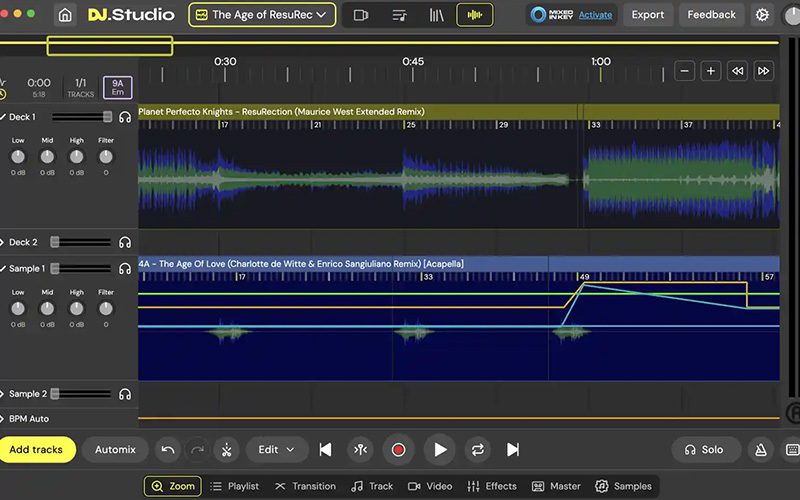
DJ Studio - Best For Beginners
DJ Studio has AI powered mashup features that can help a beginner bring their mashup to life. The AI powered tools lets users do things like set a master BPM of the mashup. Effectively changing making the tempo uniform but keeping the pitch constant. As well as separate the stems of a track and create samples to be placed where you like. The downside is it doesn’t always offer granular precision and can be a bit clunky.
Logic Pro
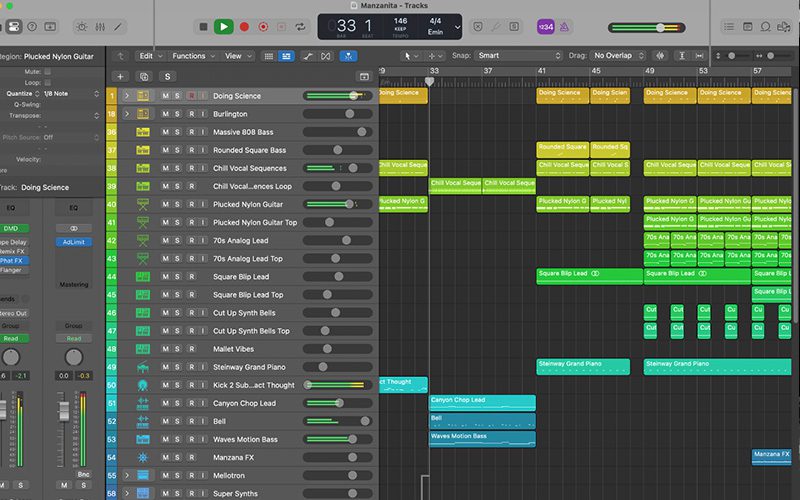
Logic Pro offers Mac users a professional sound DJ, accessible as an upfront cost or as a subscription. The Live Loops grid is Logic's answer to clip-based mashup creation. It lets you trigger different parts of a song to see what layers work best together. You can then use the Remix FX suite to add your effects and filters, giving mashups a professional, "live" feel that is hard to replicate in other DAWs. But the main downside is the software still doesn't run on Windows or Linux. And the Apple ecosystem is an expensive one.
Ableton Live
Ableton Live is widely considered industry-standard for DJ edits & creating mashups. It uses a unique "Session View" that lets you launch clips in any order. So you can try out different vocal and beat combinations without stopping the music.
Warping is Ableton's most powerful feature for DJs. It allows you to stretch audio to any BPM without changing the key. And you can use the "Complex Pro" mode to keep vocals sounding natural even at extreme speeds. The "Search with Sound" feature (in v12.3) analyses your current loop and suggests sounds with a similar texture or rhythm. So you can quickly find a drum fill or a synth stab that fits your mashup perfectly. But the cost of the full Suite version is the biggest downside for new DJs.
The Best DJ Resources For Finding New Music
DJ Charts
Inspired by the sound of a certain DJ? Charts are a chance to check what they’re feeling this month. This can put you on to new record labels and artists. For you to explore their back catalogues and build a music library of your own.
Digital Record Pools
Subscription pools like Digital DJ Pool or BPM Supreme provide high-quality, legal tracks tagged with BPM and key metadata. They save you hours of searching for the latest club hits or radio edits.
Music Discovery Sites
The fan favourite Bandcamp lets you buy directly from artists, especially on Bandcamp Friday where the platform waives all fees so 100% goes to the artist. The site also offers plenty of opportunity for music discovery with its edtiorial blog posts, weekly email newsletter and online listening parties.
Platforms like Soundcloud, YouTube, Spotify all use algorithms to suggest music to you based on your listening preferences. But they also offer a level of user curation, and you can find DJ content-creators and brand-curated playlists for you to discover new tracks. Soundcloud is also good site to reach out to upcoming artists and producers to get free downloads and permission to play their tracks on air.

Purchasing Tracks
If you've built your library up on a streaming service, remember it's against the terms to broadcast these songs from the platform.
Your radio station should have music licensing in place, leaving you to buy the tracks you want to play. Use tools like Soundiiz or Tune My Music to import a Spotify playlist and locate the tracks on a digital music store like Amazon Digital Music or Beatsource. Skipping the long process of finding your tracks manually and letting you mass purchase with a few clicks.
The Best Tools For DJs to Create Radio Imaging
Radio jingles (or the more general term radio imaging) is really useful for identifying yourself on air, especially as DJ-based radio shows might not include much talking. Jingles sporadically laid or played over your mix can introduce your show to listeners, as well as identify you to listeners who tune in half way through.
Here are the best tools & resources for DJs to create their own radio imaging.
Digital Audio Workstations (DAWs)
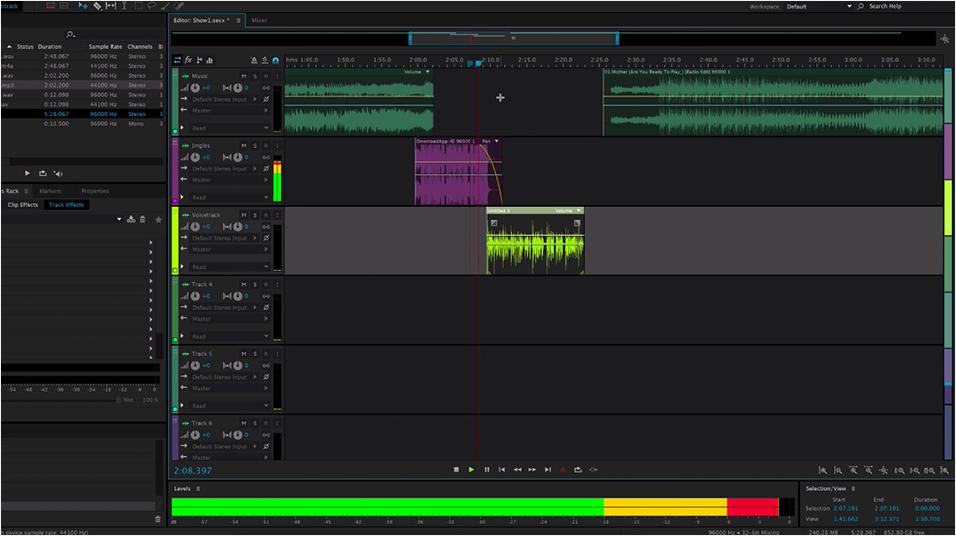
Digital Audio Workstations (DAWs) like Audacity or Adobe Audition let you edit and manipulate audio to create your radio jingles. You can also add in a voice over or record voice or instruments directly into the programme using an audio interface. The downside is they don’t have royalty-free audio included within their programmes, but you can source broadcast-ready sound FX and music beds at Radio.co’s marketplace.
Voice Studio
Radio.co’s Voice Studio (available on Pro & Premium plans) acts as a mini DAW within the dashboard. But a key difference is its in-built AI voices. Meaning you don’t have to pay for a voice-over if you don’t want to record your jingle yourself. Check out the demo below:
It also has access to free sound FX, meaning you can create your jingle at no extra cost. Within the editor, you can add and mix audio to create your own radio imaging. This covers everything you need for professional radio imaging: sound effects, music, voice recordings & AI-generated voices. Your jingles can then be downloaded to your computer, or added to your Radio.co library.
Radio Imaging Services
If you want to outsource your jingles, radio imaging services like SPLAT! Benztown or Pure Jingles can help create a one-off jingle or a full sonic-branding package you can use across your content.
Conclusion
There’s our rundown of the best tools and resources to help DJs level up their radio shows. What have we missed? What is a game-changer for DJs to use in their radio workflows? Let us know over on your favourite social media platform.


